The student laptop conversation in 2026 is not really about laptops. It is about which hybrid device survives three years of lecture halls, library all-nighters, group project chaos and the occasional weekend essay crisis. The three devices that dominate shortlists for sixth-formers, undergraduates and postgraduates are the iPad Pro M5, the Surface Pro 11 and the MacBook Air M5. One is a tablet that wants to be a laptop. One is a laptop that wants to be a tablet. One is a laptop that stopped trying and became the quiet default.
Our editors evaluated each against manufacturer-published specifications, independent battery and performance benchmarks and the real-world usage patterns of students doing a mix of note-taking, essay writing, lecture recording, light coding, light video editing and the inevitable Netflix wind-down. The right pick depends more on how the student actually works than on which platform wins the spec sheet.
What a student device actually needs in 2026
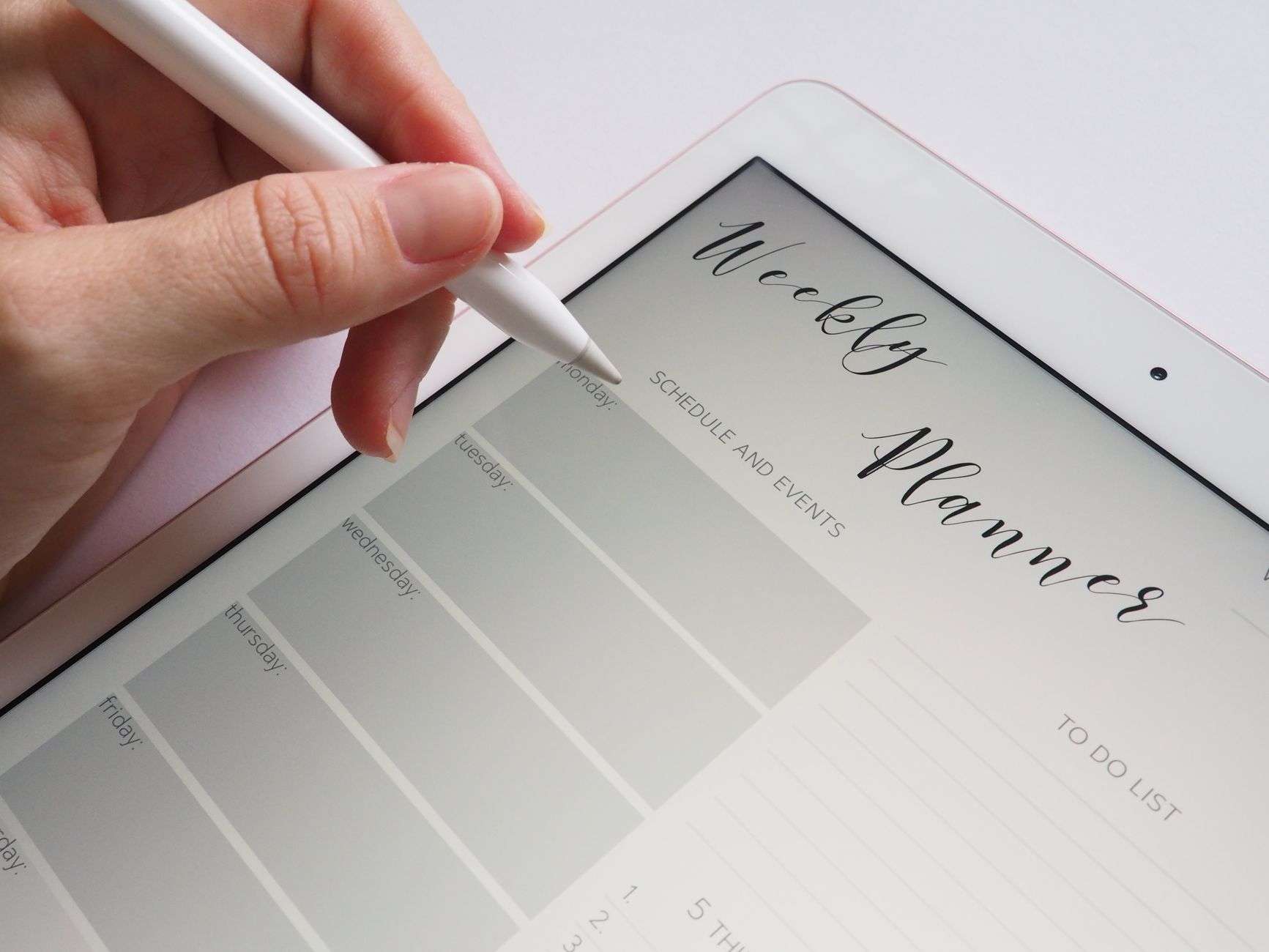
Battery life has become the number that matters more than peak performance. A full day on-campus means roughly 8 to 10 hours of mixed use between lectures, library sessions and campus walks, often without easy access to a plug socket. The second shift is handwriting support. A meaningful share of students take notes by hand in digital ink, mix typing and drawing in the same document, and move between stylus and keyboard mid-session. Devices without a credible stylus story are a harder sell than they were five years ago.
The third shift is software reality. University coursework still runs on a mix of Microsoft Office, Google Workspace, Adobe Creative Cloud, specific statistical packages like SPSS or R, and a long tail of discipline-specific tools. iPads cover the first three ecosystems well but struggle with legacy desktop-only software. Chromebooks handle web-based coursework but fall short on anything requiring real software. The three devices in this comparison all handle the mainstream student toolset competently, but each has gaps worth knowing about.
How we weighted the categories
Battery life under mixed student use, keyboard quality for essay writing, stylus and handwriting support, performance under academic workloads, software ecosystem compatibility, display quality for long reading sessions, weight for daily carry, total cost including keyboard and stylus accessories, and reliability track record.
iPad Pro M5: the tablet that works harder than its reputation suggests
The iPad Pro M5 is Apple's current flagship tablet, built around the M5 chip with 16 cores on the Pro variants, up to 2TB of storage, Wi-Fi 7 and optional 5G cellular. The 13-inch model has an OLED tandem display with ProMotion variable refresh up to 120Hz, 1,000 nits typical brightness and 1,600 nits peak HDR brightness. The 11-inch model uses a similar panel at smaller scale. The second-generation Apple Pencil Pro supports squeeze gestures, haptic feedback and tool switching that genuinely helps during long note-taking sessions.
Battery life is Apple-rated at 10 hours of web browsing and 10 hours of video playback, with independent testing showing closer to 9 hours of mixed-use including note-taking, Zoom lectures and web research. The Magic Keyboard adds roughly 580g to the bundle and raises the total weight to around 1.3kg for the 13-inch pairing, which puts it in the same ballpark as a MacBook Air.
Pricing is the sting. The 11-inch iPad Pro M5 starts at $999, £999 and A$1,699. The Magic Keyboard adds another $299, £299 and A$499. The Apple Pencil Pro adds another $129, £129 and A$219. A fully kitted student bundle lands at $1,427, £1,427 and A$2,417 before any education discount.
Where the iPad Pro trails
iPadOS has made meaningful strides toward real multitasking with Stage Manager and improved external display support, but it still cannot run full desktop software. If a student's course requires Stata, SPSS, MATLAB, Pro Tools or any Windows-only engineering package, the iPad is not sufficient as a sole device. For students in humanities, business, arts or design where creative apps dominate, this limitation rarely bites.
Surface Pro 11: the Windows hybrid with the longest history
Microsoft's Surface Pro 11 is the eleventh iteration of the hybrid form factor Microsoft invented and refined. The 2026 model offers both Qualcomm Snapdragon X Elite and Intel Core Ultra Series 2 configurations, with the Snapdragon models leading on battery life and the Intel models leading on legacy x86 software compatibility. The 13-inch OLED display option is bright, colour-accurate and runs at up to 120Hz.
Battery life on the Snapdragon X Elite variant is Microsoft-rated at 14 hours of local video playback and 10 hours of active web use, with independent testing showing roughly 10 to 11 hours of real mixed student work. The Intel variant drops that to roughly 7 to 8 hours of mixed use. For battery-first buyers, the Snapdragon configuration is the clear pick.
The Surface Slim Pen 2 supports pressure sensitivity, tilt detection and haptic feedback, with 4,096 levels of pressure sensitivity. Handwriting on OneNote and Journal apps feels close to paper and the ink prediction has improved materially since the previous generation.
Pricing starts at $999 and £1,049 for the base Snapdragon configuration with 16GB RAM and 256GB SSD. The Surface Pro Keyboard adds another $179 or £179, and the Slim Pen 2 adds another $129 or £129. A kitted student bundle lands at $1,307 or £1,357, which is roughly on par with the iPad Pro bundle before education discounts.
Where the Surface Pro trails
The Snapdragon ARM transition is still working through compatibility edges. Most mainstream Windows software now has native ARM versions or runs well in emulation, but students with discipline-specific legacy software should verify compatibility before buying. The Intel variant avoids this concern but gives up roughly 3 hours of battery life. The kickstand hinge works beautifully on a desk and awkwardly on a lap, which is worth testing before committing.
MacBook Air M5: the quiet default for most students
The MacBook Air M5 is the device the previous generation of this comparison warned you not to overlook. Apple's M5 chip delivers roughly 15 per cent better single-core performance than the M4 and holds its own against Intel Core Ultra 7 and Snapdragon X Elite in sustained workloads. The 13-inch Air weighs 1.24kg and the 15-inch weighs 1.51kg, with battery life Apple-rated at 18 hours of video playback and roughly 15 hours of real mixed student use.
The display on the 13-inch Air is a 2560-by-1664 Liquid Retina panel at 500 nits, which is bright enough for most environments but noticeably dimmer than the OLED panels on the iPad Pro and Surface Pro. The 15-inch Air is the same panel class at 2880-by-1864. Neither supports ProMotion high refresh, which the MacBook Pro gets and the Air does not.
Pricing starts at $999, £999 and A$1,699 for the 13-inch base configuration, with the 15-inch starting at $1,199, £1,199 and A$2,049. No additional keyboard or stylus purchase is required, which makes the Air the cheapest total-cost option in this comparison by a meaningful margin.
Where the Air trails
No touchscreen and no stylus support. For students who want to annotate PDFs, mark up lecture slides or sketch diagrams by hand, the Air is a hard limit rather than a soft one. The 13-inch base model ships with 16GB RAM and 256GB SSD, which is adequate for most student workloads but tight for anyone running heavy multitasking, large Lightroom libraries or Xcode projects.
Head-to-head comparison
Device
Base price
Weight
Battery
Stylus
iPad Pro M5 11"
$999
582 g
9-10 hrs
Pencil Pro ($129)
Surface Pro 11 (Snapdragon)
$999
879 g
10-11 hrs
Slim Pen 2 ($129)
MacBook Air M5 13"
$999
1,240 g
15 hrs
Not supported
UK pricing lands at roughly £999 for all three base configurations. Australian buyers see A$1,699 across the board. Accessory bundles push the iPad Pro and Surface Pro to roughly £1,427 and £1,357 respectively, while the MacBook Air stays at £999 as a complete working device.
What education discounts actually save
All three manufacturers offer education pricing with roughly 10 per cent off the base device and smaller discounts on accessories. Microsoft's Surface for Students programme and Apple's Education Store both require university enrolment verification. The Surface Laptop Studio and MacBook Air education bundles occasionally include AirPods or free accessories in September to October launch windows, which can tip the total cost calculation.
Do's and Don'ts
Do's
Don'ts
Verify discipline-specific software compatibility before buying
Don't assume iPadOS runs the Windows software your course requires
Factor keyboard and stylus into the iPad Pro total cost
Don't compare base prices without accessory bundles for hybrids
Pick a device you can use on a lap, not just on a desk
Don't buy a Surface Pro without testing the kickstand on your knees
Use the education discount, every manufacturer offers one
Don't buy from the main store without checking the Education Store
Match storage to three years of coursework, not one semester
Don't buy 256GB storage if you handle Raw photos or 4K video
Pair the device with cloud sync for cross-device access
Don't rely on local storage alone, campus theft is real
Test battery life with your actual apps in the first 14 days
Don't believe manufacturer battery claims, they test on idle use
Buy accidental damage protection for the first two years
Don't skip AppleCare+ or Microsoft Complete for a daily carry device
Keep the receipt and warranty paperwork in cloud storage
Don't lose warranty records, you will need them within three years
Consider the previous generation at refurb prices for 30 per cent savings
Don't dismiss refurbished units, Apple and Microsoft stand behind them
Which to pick by scenario
For an arts, design or creative student who sketches, annotates lecture slides and lives in Procreate, Figma mobile, Notability and Adobe Creative Cloud mobile apps, the iPad Pro M5 is the pick. The Pencil Pro is best in class, iPadOS creative apps have matured substantially, and the hybrid form factor is used harder here than anywhere else.
For a business, humanities or engineering student who needs full Windows software compatibility, writes a lot of essays and occasionally wants to take handwritten notes in OneNote, the Surface Pro 11 Snapdragon is the smartest default. The hybrid form factor earns its keep in lectures, and the Windows software ecosystem removes compatibility anxiety.
For a student in any discipline who treats their device primarily as a laptop, writes long essays, needs long battery life and does not require a touchscreen, the MacBook Air M5 is the quiet winner. It is the cheapest complete working device of the three, has the best battery life by a meaningful margin, and the macOS ecosystem is the most predictable to live with.
What about the MacBook Pro M5 and Surface Laptop
The MacBook Pro M5 14-inch adds a ProMotion display and more thermal headroom at a £500 premium. For most undergraduate workloads, the Air is sufficient. The Surface Laptop 7 is the clamshell alternative to the Surface Pro 11 for students who want Windows with a traditional laptop form factor and better lap ergonomics.
Final verdict
Three devices, three different student profiles. The iPad Pro M5 is the pick for creative-leaning students who want the best stylus experience on the market and accept iPadOS as the operating system. The Surface Pro 11 is the pick for students who need Windows software compatibility and want hybrid flexibility. The MacBook Air M5 is the quiet default for the broadest range of students and offers the best complete-device value in the comparison.
The one truth that holds across all three is that the right device is the one your course materials actually run on. Before any purchase, pull up the IT services page for your specific university and course, check the required software list, and verify compatibility. A beautiful tablet that cannot run your statistics package is an expensive mistake.
Frequently Asked Questions
Which device has the longest real-world battery life for a full campus day?
The MacBook Air M5 wins this one by a comfortable margin, with roughly 15 hours of mixed student use in independent testing against Apple's 18-hour video playback rating. The Surface Pro 11 Snapdragon variant lands at 10 to 11 hours of real mixed work, which is enough for most campus days but tight for anyone studying through the night. The iPad Pro M5 sits at 9 to 10 hours of mixed use once the Magic Keyboard and Wi-Fi 7 are in play. For students who regularly spend 10-plus hours away from a plug, the Air is the honest answer.
Can the iPad Pro really replace a laptop for essay writing and lecture notes?
For humanities, business, arts and design students, the iPad Pro M5 handles essay writing in Microsoft Word, Google Docs or Pages, lecture notes in Notability or GoodNotes, and PDF annotation competently. The Magic Keyboard is a credible typing experience and the Pencil Pro is best in class for handwritten notes. The limitation is desktop-only software. If a course requires Stata, SPSS, MATLAB, Pro Tools or any Windows-only engineering tool, the iPad is not sufficient as a sole device. Check your specific university's required software list before committing to a tablet-first setup.
Is the Surface Pro 11 Snapdragon variant worth the compatibility risk over the Intel version?
For most students, yes. The Snapdragon X Elite configuration adds roughly three hours of battery life over the Intel variant and most mainstream Windows software now has native ARM versions or runs well in emulation. The remaining compatibility edges sit with discipline-specific legacy software, which you can verify before buying. The Intel variant exists for students who need a specific legacy package that has not been ported, and it is still a competent machine. For a typical business or humanities workload, the Snapdragon configuration is the smarter default.
What is the real total cost once you add keyboard and stylus accessories?
The base pricing hides a wide spread. The MacBook Air M5 at $999 is a complete working device out of the box. The iPad Pro M5 at $999 needs a $299 Magic Keyboard and a $129 Pencil Pro to match the laptop experience, which lands the total at $1,427 before education discounts. The Surface Pro 11 at $999 needs a $179 Surface Pro Keyboard and a $129 Slim Pen 2, landing at $1,307. UK pricing tracks roughly in line at £999, £1,427 and £1,357 respectively, with modest education discounts available from all three manufacturers.
How significant are the education discounts and when should I buy?
All three manufacturers run education programmes with roughly 10 per cent off the base device and smaller discounts on accessories, available year-round to students, teachers and some parents of enrolled students. The real deals arrive in September to October when Microsoft and Apple occasionally bundle free AirPods or accessories with new academic-year purchases. For non-urgent buyers, waiting for an autumn launch window can save £100 to £200 on the total bundle. Verify eligibility through the manufacturer's Education Store rather than the main consumer site.
Which device holds its resale value best after three years of student use?
Apple products have historically held the strongest resale value in this category. A MacBook Air from three years ago still fetches roughly 50 to 55 per cent of its original price on the second-hand market in good condition. The iPad Pro holds similar resale values when the Magic Keyboard and Pencil Pro are included in the sale. The Surface Pro 11 is a newer line with less resale data at three years, but historical Surface Pro resale values have tracked at roughly 35 to 45 per cent after three years, which is lower than Apple but reasonable for the category.
Should I buy accidental damage protection and does it actually pay off?
For a daily carry device that lives in a backpack with keys, water bottles and gym kit, accidental damage protection is a sensible investment. AppleCare Plus for the MacBook Air M5 runs roughly $249 for three years in the US and £229 in the UK, covering accidental damage with a per-incident excess. AppleCare Plus for the iPad Pro M5 runs similar numbers. Microsoft Complete for Surface Pro 11 covers accidental damage over two years at roughly $150. A single screen or logic board repair out of warranty exceeds the protection cost by two to three times, which is why we recommend it on all three devices.
We use cookies to see which reviews and buying guides readers find useful, so we can keep improving them. Accept analytics cookies, or carry on with essential ones only. See our Cookie Policy.









 Get it on
  Download on the