You're about to spend over a grand on a tablet. That's laptop money. So getting this wrong stings, and the iPad Pro M4 vs Samsung Galaxy Tab S10 Ultra decision isn't as straightforward as fanboys on either side claim. I've used both extensively — editing video timelines, sketching with each stylus, running split-screen workflows, and streaming shows on the couch like a normal person. These tablets are built for genuinely different people, and specs alone won't tell you which one you are.
Here's what I'll cover. Not a spec-sheet recitation — I'll walk through real-world differences in display, processor performance, battery endurance, and the stylus and software experience on each platform. I've compared total cost including accessories too, because that $1,299 iPad Pro price doesn't include the $129 Apple Pencil Pro or $349 Magic Keyboard. By the end, you'll know which tablet deserves your cash.
iPad Pro M4 vs Samsung Galaxy Tab S10 Ultra: The Display Gap
Samsung's Tab S10 Ultra has a 14.6-inch Dynamic AMOLED 2X panel at 2960 x 1848, 120Hz. The iPad Pro M4 13-inch uses Apple's tandem OLED (Ultra Retina XDR) at a similar refresh rate in a smaller body. Both look stunning. But Apple's screen gets meaningfully brighter — HDR content pops harder, and outdoor visibility is noticeably better. Samsung peaks around 930 nits, which sounds great until you compare them side by side in sunlight.
Size matters for productivity, though. Splitting the Tab S10 Ultra's screen gives you two genuinely usable app windows. On the 13-inch iPad, split view feels cramped. If your workflow involves a reference doc next to your working doc, that extra 1.6 inches changes everything. Brightness versus workspace — that's the trade-off.
Raw Power: M4 Chip vs Dimensity 9300+
Not close. Apple's M4, built on 3nm with up to a 10-core CPU and 10-core GPU, crushes the MediaTek Dimensity 9300+ on its older 4nm node in every benchmark that matters. Exporting a 10-minute 4K ProRes timeline? iPad Pro finishes noticeably faster with less thermal throttling.
But honestly — most buyers won't notice. Browsing, streaming, note-taking, and document editing feel equally snappy on both. The gap only shows during heavy creative work: video editing, 3D rendering, complex illustration with 80+ layers. If that's your daily life, the M4 is worth it. If not, you're paying for headroom you'll never use.
Battery Life and Charging Compared
Samsung wins here. The Tab S10 Ultra's 11,200mAh battery genuinely lasts three days of intermittent use. PCMark benchmark clocks it at just under 8 hours continuous screen-on time. With 45W fast charging, a full tank takes about two hours.
The iPad Pro M4 13-inch? Apple rates it at 10 hours, and Tom's Guide testing landed around 13 hours. But streaming Netflix at 250 nits drops it to 9 hours and 11 minutes. Gaming at max brightness? About 4 hours. Charging is slower too. For people who travel frequently, Samsung's endurance advantage is real.
Stylus: Apple Pencil Pro vs S Pen
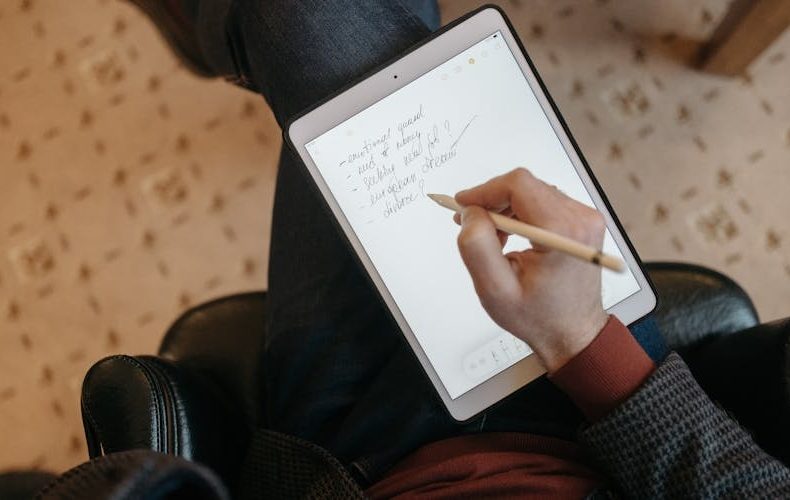
The Apple Pencil Pro ($129 extra) introduced haptic feedback, squeeze gestures, and barrel roll — fantastic for artists using Procreate or Affinity Designer. Pressure sensitivity and latency are best-in-class. Magnetically attaches for wireless charging. Beautiful tool.
Samsung includes the S Pen free. That's $129 saved immediately. The S Pen handles note-taking beautifully — Samsung Notes' handwriting-to-text has gotten genuinely good, and Air Command hover shortcuts add real utility. For drawing, Clip Studio Paint runs well on the larger canvas. My take? Apple Pencil Pro is the better drawing tool. S Pen is the better value and note-taking tool. Different strengths.
Software: iPadOS vs Samsung DeX and One UI
Samsung DeX transforms the Tab S10 Ultra into something resembling a real desktop — resizable windows, a taskbar, external monitor support via USB-C. I've connected it to a 27-inch display and handled email, spreadsheets, and video calls without issues. One UI's split-screen multitasking works more intuitively than iPadOS Stage Manager, which still feels half-baked.
iPadOS owns app quality, though. Final Cut Pro, Logic Pro, Procreate — professional apps with no Android equivalents. If your workflow demands specific creative software, iPadOS is non-negotiable. But for general productivity and file management, Android is more flexible. Real file system. Sideloading. Default app choices. Pick your priority.
iPad Pro M4 vs Samsung Galaxy Tab S10 Ultra: Price and Value
The iPad Pro M4 13-inch starts at $1,299 for 256GB. Add Apple Pencil Pro and Magic Keyboard — you're at $1,777. The Tab S10 Ultra starts at $1,199.99 with 256GB, 12GB RAM, and the S Pen included. Add Samsung's Book Cover Keyboard ($349) and you're at roughly $1,549. Over $200 cheaper for a bigger screen and included stylus.
Apple's refurbished M4 iPad Pro models start at $759 for the 11-inch, shifting the math if you're flexible on size. Samsung holds value on Swappa — used units hover around $900-1,000 in early 2026. Dollar for dollar, Samsung gives more hardware. Apple gives tighter software and longer updates.
Do's and Don'ts
FAQs
Is the iPad Pro M4 faster than the Samsung Galaxy Tab S10 Ultra?
Yes, significantly. The M4 chip's 3nm architecture delivers higher Geekbench 6 scores than the Dimensity 9300+. This means faster video exports, smoother 3D rendering, and less thermal throttling under sustained load. For everyday browsing and streaming, both feel equally responsive — the gap only surfaces during demanding creative work.
Which tablet has the better display?
Depends on your priority. The iPad Pro M4's tandem OLED produces higher peak brightness and better HDR accuracy — ideal for color-critical work. Samsung's 14.6-inch AMOLED at 930 nits peak is respectable but dimmer in direct comparison. That extra 1.6 inches gives you substantially more workspace for multitasking. Quality goes to Apple. Size goes to Samsung.
Does the Galaxy Tab S10 Ultra include the S Pen?
Yes. Every Tab S10 Ultra includes the S Pen at no extra cost — pressure sensitivity, tilt detection, hover gestures, low-latency input all included. The Apple Pencil Pro costs $129 separately. That's meaningful savings when you're already spending $1,200+.
Can the Tab S10 Ultra actually replace a laptop?
For most office tasks, genuinely yes. DeX mode with an external monitor, Bluetooth keyboard, and mouse handles email, spreadsheets, and video calls well. The limitation is software — Android tablet apps lag behind desktop counterparts for specialized tasks like video editing or coding. For about 80% of typical workflows, it works.
How does battery life compare?
Tab S10 Ultra wins comfortably with its 11,200mAh cell — roughly three days of intermittent use and about 8 hours continuous in benchmarks. The iPad Pro M4 13-inch manages 9-13 hours depending on usage, dropping to about 4 hours during intensive gaming. Samsung charges faster at 45W too.
Which is better for digital art?
The iPad Pro M4. The Apple Pencil Pro's haptic feedback, barrel roll, and squeeze gestures combined with Procreate make it the best drawing tablet available. The S Pen is capable, but iPadOS's creative app ecosystem remains a clear step ahead for professional illustrators.
















 Get it on
  Download on the