Apple MacBook Neo Review: Is a $599 MacBook Too Good to Be True?
I’ve been using the MacBook Neo as my only laptop for about two months now, and I still can’t fully square the experience with the price tag. Six hundred dollars for an Apple laptop that runs full macOS, has a Liquid Retina display, and feels like it was machined out of a single block of aluminum — which it was. I bought the Indigo model on launch day back in March 2026, partly out of curiosity and partly because I figured this thing had to be hiding some brutal compromises under that pretty shell. And it is. But most of those compromises don’t bother me nearly as much as I expected. The A18 Pro chip handles my daily workflow — browser tabs, Notion, Slack, Spotify — without breaking a sweat. The build quality feels closer to a $1,200 laptop than a $600 one.
Here’s the thing about reviewing a budget Apple product: you can’t just evaluate what you get. You have to evaluate what Apple deliberately took away to hit that number. The missing backlit keyboard? That one hurts. The USB 2.0 speed on one of the ports? Bizarre. The non-upgradeable 8GB RAM? Going to age poorly. But then you pick it up, open the lid, hear the startup chime, and remember that this machine costs less than most Chromebook Pluses. So let me walk you through everything — the good, the annoying, and the stuff that might be a dealbreaker depending on how you actually use a laptop.
Design and Build: Premium Feel, Budget Price
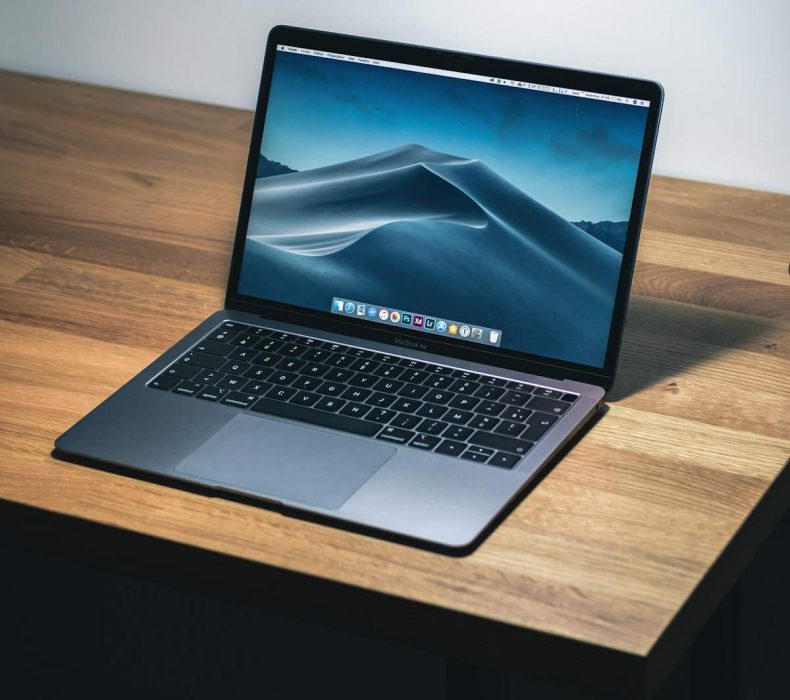
The aluminum unibody construction is identical in material quality to the MacBook Air — same machining precision, same rigidity. Apple offers four colors: Silver, Indigo, Blush, and Citrus. My Indigo is a deep, muted blue that looks professional without being boring. This is the first MacBook with a completely notchless display since the 2022 13-inch MacBook Pro, and the uniform black bezels give it a cleaner look than the notched Airs above it. The lid opens with one finger. Bottom panel has no visible screws. From three feet away, nobody can tell this isn’t a $1,299 MacBook Air — remarkable for $599, or $499 with education pricing.
The controversial cuts: the keyboard is not backlit (in 2026, on a laptop). Apple offset this by making keycaps white instead of black, which helps in dim rooms but doesn’t replace backlighting. The trackpad uses an older mechanical click instead of Force Touch. Both work fine, but you notice the downgrade if you’ve used any other current Mac. The first week of working in bed at night without a desk lamp was genuinely annoying — I’ve adapted since, but it shouldn’t require adapting on a brand-new laptop.
A18 Pro Performance: A Phone Chip That Punches Up
Apple put an iPhone chip in a Mac — the A18 Pro from the iPhone 16 Pro. It’s a 6-core CPU (2 performance, 4 efficiency) with a 5-core GPU and 16-core Neural Engine. Geekbench 6 scores land at 3,569 single-core and 8,879 multi-core, putting the Neo 47% ahead of the original M1 MacBook Air in single-core tasks. For documents, email, browsing, streaming, and light photo editing, it never feels slow. I ran 15-20 Safari tabs alongside Slack, Spotify, and Notes with zero lag and zero fan noise — because there’s no fan. It’s passively cooled.
Where you hit walls: exporting a 10-minute 4K video in iMovie caused noticeable throttling after three minutes. Xcode builds are sluggish compared to any M-series Mac. The hard-capped 8GB unified memory with zero upgrade path means heavy multitaskers will eventually feel the squeeze. Apple Intelligence runs natively on the Neural Engine, though — summarization, writing tools, notification management all work on-device. That’s a genuine perk at this price.
Display: Good Enough With One Real Gap
The 13-inch Liquid Retina panel runs at 2408 x 1506 (219 ppi) and peaks at 500 nits — same brightness as the base MacBook Air. Colors look accurate, text is sharp, and viewing angles are solid. I’ve edited blog photos on it and the results check out on my calibrated desktop monitor. For everyday use — browsing, writing, Netflix — this is a genuinely good screen. Most people comparing it to an Air side by side would struggle to spot a difference under normal lighting.
What’s missing: no True Tone, no P3 wide color gamut, and the panel is about 20% smaller than any other Apple notebook. The P3 omission matters if you do color-sensitive work — photo editing for clients, graphic design, video grading. For everyone else, it’s a non-issue. This display isn’t the reason to skip the MacBook Neo.
Battery Life: Real-World Numbers
Apple claims 16 hours of video streaming and 11 hours of web browsing. My reality over two months: 8-10 hours on light workdays (email, docs, browsing, Slack). Drop to 5-6 hours with Zoom calls. Heavy workloads like video export pushed closer to 4 hours. Apple rates this battery at 68% the capacity of the MacBook Air’s cell, and that tracks perfectly. Charging is USB-C only — no MagSafe — with the included 30W charger bringing it from dead to full in about two hours.
If you’re near a charger for part of your day, the battery is fine. If you need a laptop that survives an eight-hour flight plus an evening at the hotel, buy the MacBook Air instead. That’s the honest answer. One quirk: the Neo’s battery percentage sits at 100% for what feels like 30 minutes of active use before starting to tick down — Apple seems to be doing some software smoothing to make the initial drain feel less alarming.
Ports and Connectivity: The Biggest Asterisk
Two USB-C ports — one at USB 3 speeds (10 Gbps), the other at USB 2.0 (480 Mbps). That slow port transfers a 10GB folder in about three minutes versus eight seconds on the fast one. No Thunderbolt. No MagSafe. No SD card slot. No HDMI. One external display maximum. Multi-monitor users need not apply. Wi-Fi 6E and Bluetooth 5.3 are current enough, but the 1080p FaceTime camera is a noticeable downgrade from the Air’s 12MP Center Stage camera — video calls look softer in anything less than great lighting.
The dual speakers get loud enough for a quiet room but lack the spatial audio depth of the Air’s setup. Fine for YouTube and podcasts, underwhelming for music. I’ve been using AirPods Pro exclusively and the Bluetooth connection has been rock solid. Honestly, the port situation is the single most likely dealbreaker for buyers who actually need connectivity beyond “plug in a charger.”
Who Should Buy It (And Who Shouldn’t)
The MacBook Neo is built for people who wanted a Mac but couldn’t justify the $1,099 MacBook Air. Students are the obvious target — that $499 education price competes with mid-range Chromebooks, except you get full macOS. Parents buying a first laptop for a teenager should put this at the top of their list. Writers, bloggers, and casual users who live in a browser and a text editor will find nothing lacking. My mother would be perfectly served by this machine for five-plus years.
Skip it if you need all-day battery without midday charging, depend on P3 color accuracy for creative work, develop in Xcode or Docker (8GB RAM will choke), or rely on Thunderbolt peripherals. The $400 gap between the Neo and MacBook Air buys meaningfully more performance headroom, better display, better battery, and proper port connectivity. For many buyers, that stretch is worth it — but for the Neo’s actual target audience, the compromises are ones they’ll never notice.
Do’s and Don’ts of Buying the MacBook Neo
Do’s
Don’ts
Do buy it if you’re a student on a budget who needs full macOS
Don’t expect MacBook Air-level battery life — it’s roughly two-thirds
Do take advantage of the $499 education pricing if you qualify
Don’t buy it for professional photo or video color work (no P3 gamut)
Do use it for browsing, writing, email, and streaming — it excels there
Don’t plan on connecting multiple external monitors — max is one
Do grab the 512GB storage if you keep lots of files locally
Don’t assume both USB-C ports are equal — one is USB 2.0 slow
Do pair it with AirPods or external speakers for better audio
Don’t use this for Xcode or Docker — 8GB RAM will choke
Do consider it as a first Mac for teenagers and older family members
Don’t expect to upgrade the RAM later — 8GB is permanent
Do keep a USB-C charger at your desk and in your bag
Don’t buy if you need Thunderbolt accessories or an SD card slot
Do check color availability — Indigo and Citrus sell out fast
Don’t work in dark rooms without a lamp — no keyboard backlight
Do use Apple Intelligence features — Neural Engine handles them natively
Don’t expect sustained heavy performance — A18 Pro throttles under load
Do compare it honestly against the MacBook Air before buying
Don’t buy it purely because it’s cheap — make sure the trade-offs fit
Frequently Asked Questions
Is the MacBook Neo really worth $599 in 2026?
For the right buyer, absolutely. If your computing life revolves around a browser, word processor, email, and streaming, the Neo delivers a premium Apple experience at a price that used to buy a mediocre Windows laptop. The build quality — aluminum unibody, Liquid Retina display, fanless operation — sets it apart from everything else at this price. It falls apart for power users who need more than 8GB RAM, Thunderbolt connectivity, or all-day battery life.
How does the MacBook Neo compare to the MacBook Air?
The Air costs $400 more ($1,099 vs $599) and earns that gap: M4 chip with more cores, 16GB configurable RAM, Thunderbolt ports, backlit keyboard, Force Touch trackpad, P3 wide color display with True Tone, and roughly 50% better battery life. The Neo wins on price and the notchless display design. If you can afford the Air, buy the Air. The Neo is for people who genuinely can’t stretch to $1,099.
Can you run Final Cut Pro or Logic Pro on the MacBook Neo?
Both install and run on the A18 Pro. Final Cut handles simple 1080p timelines fine, but 4K editing with effects causes slowdowns. Logic Pro is more forgiving — casual musicians making beats or recording podcasts will find it workable. The 256GB base storage fills up fast with media files. The Neo can dabble in creative work, but it can’t commit to it.
Does the MacBook Neo support Apple Intelligence?
Yes, fully. The 16-core Neural Engine handles all Apple Intelligence tasks on-device — Writing Tools, notification summaries, Smart Reply, image generation. It’s the cheapest Mac with full AI support. Every Apple Intelligence feature on a $2,499 MacBook Pro also works on this $599 machine, with identical Neural Engine performance.
How long will it receive macOS updates?
Based on Apple’s historical pattern, expect five to seven years of macOS updates. The A18 Pro chip is current architecture, so it won’t be dropped anytime soon. The real concern is whether 8GB RAM handles macOS gracefully three versions from now. Software support will likely outlast the hardware’s ability to run it comfortably.
Is the MacBook Neo good for college students?
It’s practically built for them. The $499 education price is textbook territory. It runs Google Workspace, Microsoft Office, Zoom, Notion, Zotero, and every web app without issue. Great portability, battery gets through a morning of classes, and the build quality survives daily backpack tossing. One caution: CS and engineering students who need VMs or heavy IDEs should stretch for the Air — 8GB RAM will frustrate you by sophomore year.
What colors are available?
Silver, Indigo, Blush, and Citrus. Silver is the safe professional choice. Indigo is the bestseller — a sophisticated deep blue. Blush reads as “rose gold adjacent” in person, more muted than photos suggest. Citrus is a warm golden yellow that divides opinions sharply. All four feature aluminum construction with color-coordinated white-legend keycaps.
Can the MacBook Neo replace a desktop?
For light users with one external display, yes. Connect a monitor via USB-C adapter, pair Bluetooth peripherals, and run it clamshell-style. The A18 Pro handles typical desktop tasks smoothly. Limitations: single-display only, no Thunderbolt for fast external storage, and 8GB RAM makes heavy multitasking feel cramped over time. If your workflow is email, browsing, and video calls, it works. If you run Photoshop with 50 layers and 30 browser tabs, you need more machine.
















 Get it on
  Download on the