






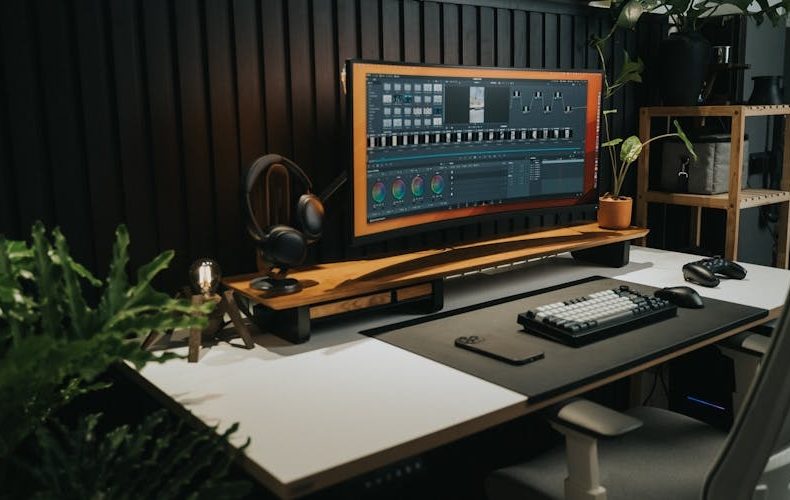
Shopping for a gaming monitor right now feels like walking into a candy store after someone slashed every price tag. OLED panels that cost $1,500 two years ago sit around $800. Refresh rates have rocketed past 500Hz. And if you're still on a 1080p 144Hz IPS from 2022, the jump to a modern QD OLED is going to make you question your life choices. I've spent the last few months testing seven panels across competitive shooters, open world RPGs, and productivity work, the gap between "good" and "great" has never been smaller. The best gaming monitors 2026 delivers aren't incremental upgrades. They're a different visual experience entirely.
More options means more confusion, though. Do you actually need 540Hz, or is 240Hz enough? Is 4K worth it at 27 inches? And those budget Mini LED panels claiming HDR1000 for under $300, legit or marketing? I've tested enough monitors to have strong opinions on all of it. This guide covers the best gaming monitors 2026 has on shelves right now, organized by what matters: resolution, refresh rate, and how much cash you're willing to part with. No fluff. Just what I'd tell a friend who asked me to pick one.
The Overall King: ASUS ROG Swift PG27UCDM
If budget isn't the constraint, this is the monitor. Period. The PG27UCDM runs a fourth gen QD OLED at 3840×2160 and 240Hz, true 4K at a refresh rate that felt impossible on OLED eighteen months ago. Pixel density hits ~166 PPI on the 27 inch screen, making text razor sharp and game textures absurdly detailed. The 0.03ms response time effectively eliminates motion blur. DisplayPort 2.1a UHBR20 delivers the full 80Gbps needed for uncompressed 4K at 240Hz, so there's no DSC compression involved. At $1,099 MSRP with Dolby Vision HDR support, it's expensive but justified. Nothing else matches the total package.


Best for Competitive FPS: LG 27GX790B B
Competitive players don't need 4K. They need speed. The LG 27GX790B B delivers a staggering 540Hz at 1440p, plus a dual mode pushing 720Hz at 1080p for tournament play. That 0.02ms response time is the fastest I've measured on any monitor. The fourth gen WOLED panel hits 1,500 nits peak, covers 99.5% DCI P3, and the infinite contrast ratio means enemies in dark corners actually show up. I played Valorant on this for two weeks, going back to 240Hz felt sluggish. Originally $999, it's been dropping to $799 at several retailers. For anyone grinding ranked, this is the one.


Best Mid Range: Alienware AW2725DF
The sweet spot that's hard to argue with. Twenty seven inches, 1440p, 360Hz, QD OLED, around $799. Color accuracy sits at 99.3% DCI P3 with Delta E under 2 out of the box, no calibration needed. The infinite contrast and DisplayHDR True Black 400 make HDR genuinely impressive in games like Alan Wake 2. One honest knock: it uses DisplayPort 1.4 instead of 2.1, relying on DSC for full 360Hz. Most people won't notice. This delivers 90% of the flagship experience at two thirds the cost. Hard to beat.


Best Budget Pick: AOC Q27G3XMN
This monitor has no business being this good at $250. A 27 inch 1440p VA panel with Mini LED backlighting, 336 dimming zones, and DisplayHDR 1000. Peak brightness hits 1,300 nits, not a typo. The quantum dot layer covers 96% DCI P3, and the 4,000:1 static contrast means SDR content looks rich without HDR on. Refresh rate caps at 180Hz with FreeSync Premium Pro. Halo blooming exists because it's Mini LED, but 336 zones keep it subtle. Skip this if you demand OLED blacks. Buy this if you want a massive upgrade from basic IPS without OLED money. Worth every penny.

Best Ultrawide: MSI MPG 341CQR QD OLED X36
The first ultrawide to hit 360Hz. Samsung's fifth gen QD OLED at 3440×1440 with 0.03ms response time and a new V stripe subpixel layout that fixes the text fringing from earlier QD OLED ultrawides. Peak brightness reaches 1,300 nits, and the DarkArmor Film deepens blacks by roughly 40% over previous gen. USB C with 98W power delivery means laptop users get a single cable setup. At $1,099, it replaces what used to cost $1,500+. The 21:9 aspect ratio in Elden Ring or Starfield is genuinely immersive in a way flat 16:9 can't replicate.

Best Gaming Monitors 2026: Refresh Rate vs. Resolution
The jump from 60Hz to 144Hz remains the single biggest visual upgrade in gaming. Going from 144Hz to 240Hz is noticeable, smoother tracking, less input lag. Beyond that? Diminishing returns hit hard. Independent testing confirms the difference between 360Hz and 540Hz is marginal for most players. Resolution matters more for immersion. A 1440p QD OLED at 240Hz looks better than a 1080p panel at 540Hz in nearly every scenario. My advice: target 1440p at 240Hz minimum. Only go 4K if your GPU can push frames, RTX 5070 Ti or RX 9070 XT at minimum.

Do’s and Don’ts
A great panel only pays off when the rest of your setup and your buying decisions keep up with it. These are the rules I follow after months of testing monitors across shooters, RPGs, and desk work. Check them against your GPU and your budget before you commit.
| Do’s | Don’ts |
|---|---|
| Check your GPU can hit your monitor's refresh rate before buying | Don't buy 540Hz if your card maxes out at 200fps |
| Prioritize 1440p 240Hz as the 2026 sweet spot | Don't assume 4K is always better. it demands serious GPU power |
| Look for DisplayPort 2.1 on 4K monitors specifically | Don't ignore cable standards. DP 1.4 bottlenecks 4K above 144Hz |
| Buy QD-OLED for fastest response times and best contrast | Don't stress about OLED burn-in for normal gaming sessions |
| Consider Mini-LED if you game in a bright room | Don't expect Mini-LED to match OLED in dark-room contrast |
| Match adaptive sync to your GPU brand (FreeSync or G-Sync) | Don't assume all adaptive sync implementations are equal |
| Read reviews measuring actual response times, not spec sheets | Don't trust manufacturer 0.03ms claims. that's best-case only |
| Budget for a proper DP 2.1 cable with 4K 240Hz panels | Don't reuse old HDMI 2.0 cables and wonder why refresh is capped |
| Consider 34-inch ultrawide for mixed gaming and productivity | Don't buy ultrawide for competitive FPS. pros use 27-inch flat |
| Wait for sales. OLED prices drop 10-15% every shopping event | Don't pay full MSRP when street prices are consistently lower |

FAQs
Is 240Hz enough for gaming in 2026?
For the vast majority of gamers, 240Hz is more than enough. The visual difference between 240Hz and 360Hz is subtle, you'll notice it most tracking fast moving targets in shooters. Professional esports players benefit from higher rates, but ranked competitive players won't see meaningful gameplay improvement. Spend the price difference on better panel technology instead of chasing extra hertz.
What's the best gaming monitor resolution in 2026?
1440p remains the sweet spot. It's noticeably sharper than 1080p at 27 inches while being far less GPU demanding than 4K. Most mid range GPUs like the RTX 5070 push 1440p past 200fps in competitive titles. 4K looks incredible but needs an RTX 5080 or better for consistent high frame rates. Unless you're running 32 inches or larger, 1440p delivers the best balance.
Are OLED gaming monitors worth the premium over IPS?
If you can stretch the budget, absolutely. Contrast alone is staggering, IPS manages 1,000:1 while OLED delivers infinite contrast. Dark scenes look dramatically better, motion is cleaner with sub millisecond response times, and colors are more accurate out of the box. OLED prices dropped roughly 40% since 2024. That said, a $250 Mini LED like the AOC Q27G3XMN gets you 80% of the visual impact at a fraction of the cost.
Will OLED monitors get burn in from gaming?
Modern panels include pixel shifting, logo dimming, brightness limiting for static elements, and refresh cycles. Normal gaming with varied content and breaks won't cause burn in within a monitor's 3-5 year lifespan. Most manufacturers now offer 3 year burn in warranties. The risk only increases with thousands of hours of static HUD elements at max brightness. Don't lose sleep over it.
What GPU do I need for a 4K 240Hz monitor?
An RTX 5080 or RX 9070 XT minimum. With DLSS 4 frame generation, Cyberpunk 2077 at 4K runs around 130fps on an RTX 5080. Without upscaling, expect 60-90fps in demanding titles. Competitive games hit 200+ fps even on an RTX 5070 since they're less graphically intensive. Don't buy a 4K 240Hz panel unless your GPU budget matches.
How much should I spend on a gaming monitor in 2026?
The best value sits between $250 and $900. At $250, the AOC Q27G3XMN delivers Mini LED HDR1000 at 1440p 180Hz. At $799-$900, QD OLED panels like the Alienware AW2725DF offer flagship image quality. Above $1,000 gets you 4K OLED or ultrawide QD OLED, but diminishing returns kick in hard past $900. Set your budget based on how central gaming is to your daily routine.
Related Posts:






Twenty years from now you will be more disappointed by the things that you didn’t do than by the ones you did do. Sail away from the safe harbor.
 Get it on
  Download on the