






You're staring at a spec sheet with fifteen different numbers on it, and somehow you're supposed to figure out which gaming laptop is worth $1,400 of your money. I get it. The RTX 50 series landed, OLED panels are everywhere, and every manufacturer is screaming about AI features you didn't ask for. Meanwhile, you just want something that runs the games you actually play without cooking your desk or draining your bank account. The gaming laptop buying guide 2026 market looks completely different from even two years ago, and most of the "guides" out there are reshuffled spec sheets with affiliate links. That's not this.
I've spent months testing laptops across the RTX 5050 through 5080 range, tracking real world frame rates in titles people actually play, not cherry picked benchmarks in games nobody touches. The gap between "good enough" and "overkill" has gotten weirdly narrow this generation. A $1,200 machine with the right configuration genuinely holds its own against rigs twice the price. So I'm walking you through what actually moves the needle, the GPU tier that makes sense, the refresh rate sweet spot, display tech worth paying for, and stuff manufacturers hope you'll ignore. Consider this your gaming laptop buying guide 2026 cheat sheet.
The GPU Tier That Actually Makes Sense in 2026
NVIDIA's Blackwell mobile lineup runs from the RTX 5050 to the monstrous RTX 5090. Here's what matters: the RTX 5050 hits about 72 FPS in Cyberpunk 2077 at 1080p. Solid. But the RTX 5070, built on the GB206 chip with 4,608 CUDA cores, jumps you into comfortable 1440p territory for $1,200-$1,400. That's the sweet spot. The MSI Vector A16 packs an RTX 5070 Ti for just $1,299, absurd value. Meanwhile, the 5080 costs 30-40% more for roughly 13% better performance at 1440p. Diminishing returns hit hard.
Skip the 5090 unless you're doing 4K on a laptop (why?). At 175W, it needs a chunky chassis just to breathe. The 5070 or 5070 Ti gives you 90% of the experience for half the money. Not a compromise, just math.


Gaming Laptop Refresh Rate: The Real Sweet Spot
Everyone's pushing 360Hz panels now. Useless for most people. Unless you're grinding Valorant competitively and can perceive the difference between 240Hz and 360Hz (most humans can't), you're paying for bragging rights. The real sweet spot in this gaming laptop buying guide 2026? 144Hz to 240Hz. That range kills motion blur, feels buttery in shooters, and doesn't force you to crank settings down.
The part people miss, refresh rate only matters if your GPU can push those frames. An RTX 5050 paired with a 360Hz panel is racing tires on a minivan. Match your GPU to your panel. RTX 5060 or 5070? 165Hz or 240Hz is perfect. Above that is competitive esports territory.


OLED vs Mini LED: The Display Decision
OLED panels now hit 0.03ms response times, thirty times faster than Mini LED's ~1ms. Every ghost trail during a quick flick? Gone. The Lenovo Legion 5 with RTX 5070 and OLED goes for $1,399, and that combo is hard to beat. But burn in remains real if you leave static HUD elements on screen for thousands of hours. Mini LED sidesteps that while pushing 2,000+ nits, crushing OLED in well lit rooms.
My honest take: dim room gaming with varied titles? OLED wins. Laptop doubles as a work machine near a sunny window? Mini LED. Neither is wrong.


RAM, Storage, and Thermal Design, The Stuff That Quietly Ruins Your Experience
Don't buy 16GB RAM in 2026. Just don't. Games like Star Citizen and modded Cyberpunk chew through 18-20GB alone before counting browser tabs and Discord. Go 32GB. RAM prices climbed this year, so manufacturers are quietly shipping "premium" machines with 16GB, the Acer Nitro V 16 at $899 does this. It'll stutter within a year.
Go 32GB. RAM prices climbed this year, so manufacturers are quietly shipping "premium" machines with 16GB. The Acer Nitro V 16 at $899 does this. It'll stutter within a year.
Storage: 1TB NVMe minimum, but check for a second M.2 slot. Modern AAA installs hit 80-120GB each. Soldered storage with no expansion? Hard pass.
Cheap cooling means thermal throttling, your expensive GPU literally slowing itself to avoid damage. The HP OMEN MAX 16 uses liquid metal thermal compound (3-5x better conductivity than paste), which is why it tops benchmark charts. Before buying anything, YouTube search "[laptop model] thermal throttling test." A throttled 5080 performs worse than a well-cooled 5070.
Thermals are the silent killer. Two identical RTX 5070 machines perform dramatically differently based on cooling design. Quality cooling keeps GPUs below 80°C under load. Cheap cooling means thermal throttling, your expensive GPU literally slowing itself to avoid damage. The HP OMEN MAX 16 uses liquid metal thermal compound (3-5x better conductivity than paste), which is why it tops benchmark charts. Before buying anything, YouTube search "[laptop model] thermal throttling test." A throttled 5080 performs worse than a well cooled 5070. Cooling matters that much.


Gaming Laptop Buying Guide 2026: What to Spend
Under $1,100, the HP Omen 16 with RTX 5060, Core i7, and 32GB RAM at $1,099 is the best value I've seen. The mid range sweet spot, $1,300-$1,500, is where RTX 5070 and 5070 Ti machines from ASUS, Lenovo, and MSI compete fiercely. Above $1,800, you're in RTX 5080 territory. Honestly? That money is better spent on a solid 5070 Ti laptop plus a 27 inch external display. The 10-15% performance jump to 5080 isn't worth the 40-50% price jump.
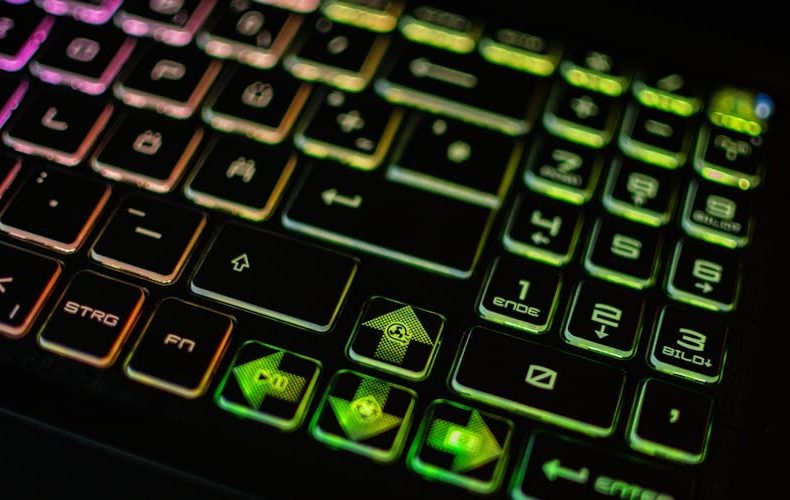
And skip the marketing fluff. "AI noise cancellation" and "AI optimized fan curves" are rebranded features that existed for years. RGB per key lighting adds $50-100 and does nothing for gameplay. Focus budget on GPU, display, RAM, and cooling. Everything else is gravy.

Do’s and Don’ts
Most bad gaming laptop purchases are not caused by picking the wrong GPU. They come from small compromises, 16GB of soldered RAM, a panel the graphics card can never feed, a chassis that throttles under load, that only become obvious months after the return window closes. Use the quick reference below as a final sanity check before you hand over the money.
| Do’s | Don’ts |
|---|---|
| Get 32GB RAM minimum. 16GB bottlenecks within a year | Don't buy a 360Hz panel unless you're a competitive esports player |
| Check for a second M.2 SSD slot before purchasing | Don't ignore thermal reviews. a throttled GPU wastes your money |
| Match your GPU tier to your display refresh rate | Don't pay extra for "AI-powered" features that are rebranded software |
| Look for vapor chamber cooling on laptops over $1,300 | Don't chase the RTX 5090 unless you genuinely need 4K mobile gaming |
| Research real thermal performance via YouTube reviews | Don't buy soldered RAM. you'll regret it later |
| Consider OLED if you game in dim lighting with varied titles | Don't assume higher price always means better gaming performance |
| Budget $1,300-$1,500 for the best performance-per-dollar | Don't overlook RTX 5060 if you primarily play at 1080p |
| Prioritize NVMe Gen 4 or Gen 5 storage | Don't fall for RGB lighting as a purchase justification |
| Check USB-C charging support as a backup option | Don't buy less than 1TB storage in 2026 |
| Read user reviews about fan noise. specs won't tell you | Don't skip warranty on laptops above $1,500 |

FAQs
Is RTX 5070 good enough for gaming in 2026?
Absolutely. The RTX 5070 handles 1440p comfortably in virtually every current title, I've run Cyberpunk, Alan Wake 2, and Indiana Jones above 60 FPS at high settings. It delivers roughly 85-90% of RTX 5080 performance for significantly less money. Unless you insist on maxing 4K, it's more than enough through at least 2028.
What refresh rate do I need for a gaming laptop?
144Hz to 240Hz covers the practical sweet spot. The jump from 60Hz to 144Hz is transformative. Going to 240Hz adds fluidity most noticeable in competitive shooters. Beyond that, diminishing returns hit hard, and your GPU needs to actually hit those frame rates for the panel to matter.
Should I get OLED or Mini LED?
OLED delivers perfect blacks and 0.03ms response times, ideal for dim rooms and varied gaming. Mini LED pushes 2,000+ nits with zero burn in risk, better for bright environments. If the laptop doubles as a work machine with static UI elements, Mini LED is the safer bet.
How much RAM for gaming in 2026?
32GB, non negotiable. Demanding titles eat 18-20GB before background apps. RAM prices rose this year, so manufacturers ship 16GB to hit price points. Don't fall for it, spend the extra $40-60 for 32GB and ensure it's not soldered.
Is the RTX 5080 or 5090 worth it?
For most people, no. The 5080 offers ~13% better performance at 1440p over the 5070 Ti but costs 40-50% more. The 5090 at 175W generates serious heat and needs a thick chassis. The 5070 Ti at $1,299-$1,500 delivers the best value this generation. Put savings toward peripherals.
What matters most besides the GPU?
Thermal design. Two identical GPUs can perform 20-30% differently based on cooling. A throttled 5080 literally performs worse than a well cooled 5070. Look for vapor chamber cooling and liquid metal compounds. After thermals, display quality matters most, a great GPU pushing frames to a mediocre 60Hz IPS panel is wasted potential.
Related Posts:





Twenty years from now you will be more disappointed by the things that you didn’t do than by the ones you did do. Sail away from the safe harbor.
 Get it on
  Download on the