I have been paying for NordVPN since 2021, and for the first few months I barely opened the app. It sat in my system tray looking pretty. Then I tried to watch a Premier League match from a friend's flat in Lisbon, hit the BBC paywall, flipped the VPN on, and the thing started paying for itself. That is usually how it goes with a VPN. You buy it for one reason, then a dozen other use cases sneak up on you over the year. In 2025, NordVPN runs more than 7,400 servers across 118 countries (it expanded its location count past 200 earlier this year), and the feature list keeps creeping further away from "just a VPN."
This guide is not a marketing rundown. It is a list of the situations where I, and most of the friends I have nagged into a subscription, actually open the app. I will walk through the streaming workflow that works in 2025, the gaming setup that shaves real milliseconds off your ping, the travel routine for accessing your bank from a hotel in Bali, and the underrated stuff like Meshnet and Threat Protection Pro that most people never bother to switch on. If you are weighing whether NordVPN is worth the $3 to $6 a month, these are the moments that decide it.
Streaming Netflix US, BBC iPlayer, Hulu, and Disney+ From Abroad
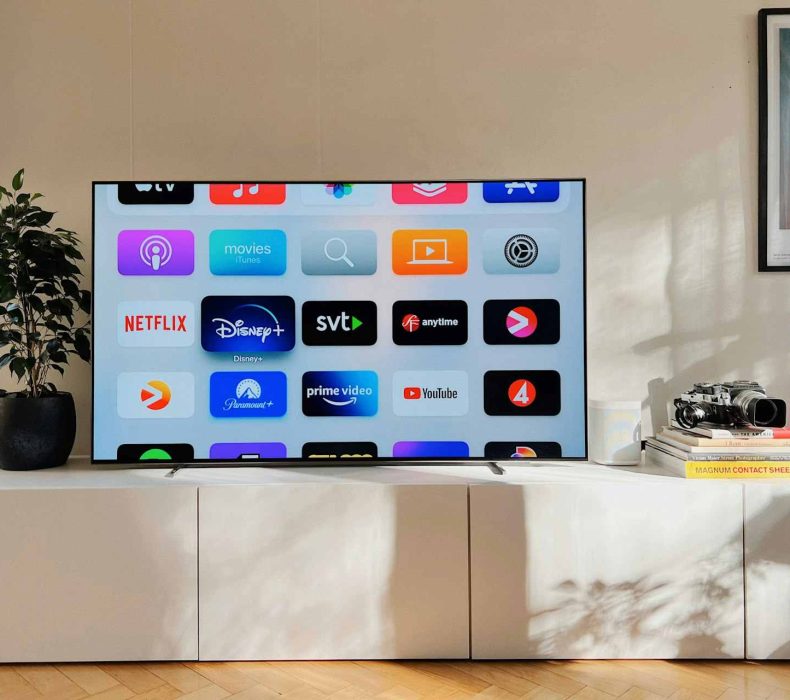
This is the use case that converts skeptics. NordVPN currently unblocks 15 plus Netflix libraries, including the US, UK, Japan, Canada, Australia, Argentina, and Malaysia, plus it consistently gets you into BBC iPlayer, Hulu, Disney+, Max, Amazon Prime Video, and DAZN. The workflow is brain dead simple. Open the app, type "United Kingdom" in the search bar, double click the first server it suggests, then open BBC iPlayer in a fresh browser tab. If iPlayer throws the "you must be in the UK" message, disconnect, reconnect to a different UK server (London and Manchester tend to be the cleanest), clear your iPlayer cookies, and try again. NordVPN rotates its UK IPs constantly, and in 2025 most London servers in the 1840 to 1920 range still pass the geo check. For Netflix the same trick works: pick a country, sign in, and your library swaps. You can keep your normal subscription and watch six regional catalogs depending on your mood.
Public Wi Fi Protection at Cafes, Airports, and Hotels
Hotel Wi-Fi is a horror show. So is the free network at the airport in Bangkok, the coffee shop in Brooklyn, and anywhere that asks you to "agree to the terms" before you get online. Without a VPN, anyone on that network with a $20 packet sniffer can watch what you do, and rogue hotspots impersonating the real one are still a problem in 2025.
Hotel Wi Fi is a horror show. So is the free network at the airport in Bangkok, the coffee shop in Brooklyn, and anywhere that asks you to "agree to the terms" before you get online. Without a VPN, anyone on that network with a $20 packet sniffer can watch what you do, and rogue hotspots impersonating the real one are still a problem in 2025. NordVPN's Auto Connect setting solves this in the background. Turn it on under Settings, and the app fires up the encrypted tunnel the moment your laptop or phone joins an untrusted network. I have it set so it ignores my home Wi Fi but always engages on anything else. The encryption is AES 256, the same standard banks use, so even if someone is sniffing at the gate at JFK, they get a wall of gibberish. For laptops it is the cheapest insurance policy you will ever buy.
Gaming: Lower Ping, DDoS Protection, and Region Locked Releases
Gamers used to assume VPNs always added latency. With NordLynx, NordVPN's WireGuard based protocol, that is mostly outdated. Connect to a server geographically closer to the game's matchmaking region than your own ISP route, and you can shave 10 to 30 ms off your ping in titles like Valorant, Apex Legends, and Fortnite. The bigger win is DDoS protection. If you stream on Twitch or play ranked, a salty opponent occasionally tries to boot you offline by hammering your IP. Behind NordVPN, your real IP is hidden, so the attack hits Nord's infrastructure instead of your router. The third trick is region locked releases. Connect to Tokyo, set your Steam region to Japan, and you can pre load a JRPG release a full day before the Western launch. Just don't try to buy games at Argentine prices anymore. Steam shut that loophole years ago.
Torrenting and P2P File Sharing on Optimized Servers
If you torrent Linux ISOs, indie game patches, or anything else over BitTorrent, NordVPN runs 4,500 plus P2P optimized servers across 50 plus countries. As of 2025, every standard server on the Mac client also supports P2P, but on Windows and Linux you still want the specialty P2P category for the fastest seeds. The setup takes ten seconds: in the NordVPN app, click "Specialty servers," pick "P2P," let it auto route, then open qBittorrent or Transmission. NordLynx routinely pulls 200 to 500 Mbps on P2P servers in my testing, so a 4 GB file completes in roughly two minutes. The kill switch is the part most people forget. Turn it on under Settings so that if the VPN drops mid download, your torrent client stops cold instead of leaking your real IP to the swarm.
Remote Work: Hiding Your IP and Protecting Company Resources
If you work remotely and your company doesn't issue its own corporate VPN, NordVPN is the next best thing. Encrypting your connection means whatever Slack messages, Figma files, or Google Docs you open are tunneled through Nord's servers instead of dangling in plain text over the airport Wi Fi. You can also add a dedicated IP (about $3 extra a month) so your company's security tools don't flag you every time your shared IP changes. Freelancers like it for another reason: clients who ask "where are you based" cannot scrape your IP from a Calendly link to verify or dispute it. For borderless contract work, the privacy alone is worth the subscription.
Traveling Abroad and Bypassing ISP Throttling
This is where NordVPN goes from luxury to necessity. The first time your US bank locks your account because you logged in from "an unusual location in Vietnam," you understand. Connect to a US server before opening the banking app, and the login looks normal. Same story for Indian users trying to use UPI apps abroad, or Australians who want ABC live from a hostel in Berlin. The other half of this use case is throttling. If your ISP slows you down whenever you stream 4K or torrent, NordVPN's encryption means your ISP can only see "encrypted traffic to a Nord server." It cannot tell whether you are watching Twitch, downloading Steam, or video calling, so it cannot selectively slow specific services. I tested this on a Comcast line in 2025: 4K Netflix buffered every 90 seconds at peak hours without the VPN, then ran smooth on NordLynx. Speeds typically retain 80 to 90 percent of your raw connection.
Price Discovery on Flights, Software, and Subscriptions
Airlines and SaaS companies price discriminate by country, and a VPN is the cleanest way to see what other markets actually pay. Search a Lisbon to NYC flight on TAP Portugal's site in incognito with a Portuguese IP, then run the same search with a US IP. Same flight, different price, often by $80 to $150. The trick: connect first, clear cookies, open an incognito window, then search. Without clearing cookies the airline still sees your previous searches and bumps the price up. The same logic applies to Adobe subscriptions, JetBrains licenses, Booking.com hotels, and Netflix plans, which are dramatically cheaper in Turkey and India compared to the US. Not every deal is honorable across borders, so do your homework, but for legitimate purchases in your own currency from a market that prices lower, one flight booking can pay for the year's subscription.
Threat Protection Pro and Meshnet
Threat Protection Pro is the feature people skip during setup, and it is honestly the best part of the bundle now. In 2025 it blocks ads at the DNS level, kills tracker pixels before they load, quarantines malicious downloads, scans URLs inside Gmail and Yahoo, and added a crypto wallet address checker that flags suspicious addresses when you copy paste them. There is also a hijacked session alert that hashes your login cookies and warns you if they appear in dark web dumps. It runs in the background even when the VPN tunnel is off. Meshnet is the other gem. NordVPN almost killed it this year, then walked the decision back after user backlash. Meshnet lets you link up to 60 of your own devices, or invite friends, into a private encrypted network as if they were on the same local LAN. The killer uses: remote desktop into your gaming PC from a hotel, grab files off your home NAS with no port forwarding, and LAN gaming with friends in titles like Age of Empires II or Stardew Valley co op. Setup is two minutes from the app.
Do's and Don'ts
Do's
Don'ts
Turn on Auto Connect for untrusted Wi Fi networks
Don't assume the free Wi Fi at your hotel is safe without a VPN
Enable the kill switch before you torrent anything
Don't torrent without the kill switch or you risk leaking your real IP
Use NordLynx as your default protocol for speed
Don't default to OpenVPN unless you need it for a specific use case
Clear cookies before price shopping with a foreign IP
Don't compare flight prices with your normal cookies still loaded
Try multiple UK servers if BBC iPlayer blocks the first
Don't give up after one server; Nord rotates IPs constantly
Switch on Threat Protection Pro for ad and tracker blocking
Don't rely on browser extensions alone for malicious URL filtering
Use Meshnet for remote access instead of opening router ports
Don't expose your home NAS or Plex server to the open internet
Pick a dedicated IP add on if your bank flags shared IPs
Don't use a shared streaming IP for banking and expect smooth logins
Test ping on closer servers before tournaments
Don't blindly connect to the nearest server; sometimes one country over routes faster
Use specialty P2P servers for heavy torrent workloads
Don't use double VPN servers for streaming or gaming; they are too slow
FAQs
Is NordVPN still worth it in 2025?
Yes, if you actually use the features. At roughly $3 to $6 a month on a two year plan, it is cheaper than a single coffee, and you get the VPN, Threat Protection Pro, Meshnet, and access to 7,400 plus servers in 118 countries. If you only use it for occasional streaming, a cheaper option might do. If you stream regularly, travel, work remotely, or game online, it pays for itself within the first month.
Can NordVPN still unblock BBC iPlayer and Netflix?
Yes, consistently in 2025. BBC iPlayer occasionally blocks a specific server IP, but Nord rotates them daily, so disconnecting and trying a different UK server almost always works within two or three attempts. Netflix is even more reliable, with confirmed access to over 15 regional libraries including the US, UK, Japan, Canada, and Australia.
Does NordVPN slow down my internet?
On NordLynx, you typically keep 80 to 90 percent of your raw connection speed. So if your ISP gives you 500 Mbps, expect roughly 400 to 450 Mbps through the VPN. On older protocols like OpenVPN the drop is steeper, around 40 to 50 percent. For most streaming and gaming use cases, the difference is invisible.
Is it legal to use NordVPN?
In most countries, yes. The US, UK, Canada, Australia, EU member states, and most of Asia all permit VPN use. A few countries like China, Russia, Iran, and North Korea restrict or ban VPNs outright. Even where it is legal, using a VPN to commit a crime is still a crime. Streaming geo blocked content is usually a terms of service violation rather than a legal issue.
What is NordWhisper and do I need it?
NordWhisper is a new protocol Nord launched in early 2025 that disguises VPN traffic as regular web traffic. You need it if you are in a country or on a network that actively blocks VPN protocols, like China, the UAE, or some restrictive corporate networks. For everyday home and travel use, NordLynx is faster and easier.
Does NordVPN keep logs of what I do?
No. NordVPN runs a strict no logs policy that has been independently audited by Deloitte in 2022, 2023, 2024, and 2025. The company is based in Panama, which has no data retention laws requiring it to store user activity.
Can I use one NordVPN account on multiple devices?
Yes, up to 10 devices simultaneously on a single subscription. That covers a phone, laptop, tablet, smart TV, router, gaming console, and a handful of family devices. If you set NordVPN up on a router, every device behind that router counts as one connection, which is the cheapest way to cover an entire household.
We use cookies to see which reviews and buying guides readers find useful, so we can keep improving them. Accept analytics cookies, or carry on with essential ones only. See our Cookie Policy.















 Get it on
  Download on the