Best Gaming Monitors Under $500 in 2026: Dell Alienware AW2725D, ASUS ROG Swift, and More
Five hundred dollars used to buy you a decent 1440p IPS panel with a 144Hz refresh rate and maybe FreeSync if you were lucky. That was 2023. In 2026, that same money gets you a QD-OLED with a 280Hz refresh rate, 0.03ms response time, and color accuracy that cost $1,000+ just two years ago. I’ve been running five monitors through my daily rotation for six weeks — Valorant, Elden Ring, PS5 sessions, and full workdays — and I can tell you exactly which panel deserves your desk space.
But $500 is a wide range and these monitors serve different people. A competitive FPS player chasing every millisecond doesn’t want the same panel as someone hooking up a PS5 for weekend gaming. I tested each monitor on an RTX 4070 Super rig and a PS5, measured real response times with a colorimeter, and spent actual hours gaming instead of just reading spec sheets. Here’s what I found.
Dell Alienware AW2725D: The Best Overall Under $500
The AW2725D is the monitor I kept coming back to. It’s a 27-inch QD-OLED at 2560×1440, 280Hz, and 0.03ms gray-to-gray response time. The panel delivers pixel transitions so fast that ghosting simply doesn’t happen — something even the best IPS panels can’t match. Valorant at 280fps felt like cheating; enemy peeks that used to blur are now crisp silhouettes. The infinite contrast makes dark areas in Alan Wake 2 actually dark instead of washed-out LCD gray. Dell’s MSRP is $549.99, but it’s been $449-479 at major retailers through early 2026.
Color accuracy is excellent out of the box — 99.1% DCI-P3 and Delta E 1.8 without calibration. It pushes 250 nits SDR and 1,000 nits peak HDR. You get DisplayPort 1.4, two HDMI ports, a USB hub, and a fully adjustable stand. Dell covers burn-in under a three-year warranty with automatic pixel-shift built in. After six weeks of mixed use with static taskbars, zero retention. For most gamers, this is the one to buy.
AOC Q27G4ZD: The Budget OLED That Punches Up
The AOC Q27G4ZD made me rethink what “budget OLED” means. It uses a Samsung QD-OLED panel in a 27-inch 1440p format with a 280Hz refresh rate, and street price holds around $399-419 — the cheapest QD-OLED you can buy. Tom’s Hardware called it “an amazing value” and I agree. The 0.03ms response time is identical to the Alienware, 99.4% DCI-P3 color coverage is actually slightly better, and 1,000-nit peak HDR brightness matches monitors costing twice as much. The AOC cuts costs on the stand (functional but plasticky) and overall build feel, but nothing that affects the actual image.
The standout feature is connectivity: two HDMI 2.1 ports, two DisplayPort 1.4, and a four-port USB hub with KVM switch — toggle between your gaming PC and work laptop with a hotkey. That’s something the Alienware doesn’t offer. AOC backs it with a three-year zero-bright-dot warranty. At $400, this is the best value here.
Gigabyte M27Q X: Best IPS for Bright Rooms and Longevity
Not everyone wants OLED. Maybe you game in a sunlit room where OLED’s lower SDR brightness is a problem, or you plan to keep this monitor six years and don’t want burn-in thoughts. The Gigabyte M27Q X is a 27-inch 1440p IPS panel with a 240Hz refresh rate, 1ms response time, and proper RGB subpixel layout for razor-sharp text. At $280-330, it’s the cheapest here by a wide margin. It covers 97% Adobe RGB, peaks at 400 nits, and supports FreeSync Premium plus G-Sync Compatible.
Motion handling in CS2 and Fortnite was excellent — not OLED-tier, but genuinely good for IPS. The stand is basic, but at this price you can grab a $30 VESA arm. For a reliable, bright 1440p monitor that’ll last years without OLED anxiety, the M27Q X is the smart pick.
ASUS ROG Swift PG27AQDM: The Premium Pick Worth the Wait
The PG27AQDM regularly drops below $500 — I’ve tracked it at $479 on Amazon and $469 at Micro Center. It packs a 1440p OLED panel with 240Hz, 0.03ms response, and 99% DCI-P3. ASUS added a custom heatsink that pushes sustained brightness to 280 nits SDR (versus 250 on the Alienware) without aggressive dimming. The matte micro-texture coating cuts glare beautifully, and the ROG Ergo stand is the best here. At $799 MSRP, it’s outside budget — but at $469-499 sale prices, it’s a steal. Set a CamelCamelCamel alert. If you can’t wait, the Alienware is nearly as good at a lower everyday price.
PS5 and Xbox Series X: What Console Gamers Should Pick
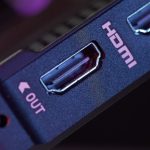
Most monitors here are 1440p, which both consoles support but isn’t their native 4K. The Alienware and AOC work great at 1440p 120Hz via HDMI 2.1. If you need 4K 120Hz specifically, the Philips Momentum 5000 27M1F5800 offers a 27-inch 4K 144Hz IPS with two HDMI 2.1 ports for ~$400-450. The AOC Q27G4ZD earns a special nod — its two HDMI 2.1 ports let you connect PS5 and Xbox simultaneously.
VRR matters more on consoles because games bounce between 60fps and 120fps — without it, visible tearing. Every monitor here supports VRR. Honestly, 1440p OLED looks better than 4K IPS at 27 inches because contrast advantages outweigh the resolution bump. My pick for console gamers who also play on PC: the AOC Q27G4ZD at $400.
Panel Types and Refresh Rates: The Specs That Actually Matter
QD-OLED panels produce light at the pixel level — each pixel turns fully off for true blacks and infinite contrast. You get stunning color, zero blooming, and near-zero motion blur. Trade-offs: lower SDR brightness, potential burn-in over years, and higher cost (though 2026 pricing has narrowed the gap). IPS panels offer 400-600 nit brightness, zero burn-in risk, and wide viewing angles, but can’t produce true blacks (mediocre 1,000:1 contrast). IPS is the right call for bright rooms and long-term ownership.
On refresh rates: 60Hz to 144Hz is transformative. 144Hz to 240Hz is noticeable in competitive shooters. 240Hz to 280Hz? Marginal. Response time matters more above 144Hz — a 240Hz panel with 5ms response looks blurrier than a 144Hz panel with 1ms because pixels can’t transition before the next frame. QD-OLED’s genuine 0.03ms response time is why the Alienware at 280Hz looks sharper than the Gigabyte at 240Hz. For competitive FPS, prioritize response time over raw Hz.
Do’s and Don’ts When Buying a Gaming Monitor Under $500
Do’s
Don’ts
Check real street prices — MSRP means nothing when monitors sell 30-40% below list
Don’t buy 1080p in 2026 unless you play competitive esports at 360Hz+
Prioritize 1440p for the best balance of sharpness and GPU performance
Buy QD-OLED if you game in a dim room — the contrast is transformative
Don’t buy OLED if sunlight hits your screen — lower SDR brightness will frustrate you
Make sure your GPU can push frames to match the refresh rate
Don’t pair a 280Hz panel with a GTX 1660 and expect benefits beyond the desktop
Check for HDMI 2.1 if you’re connecting a PS5 or Xbox Series X
Don’t assume all HDMI ports are equal — many monitors mix 2.1 and 2.0
Enable VRR (FreeSync/G-SYNC) in both monitor OSD and GPU driver
Don’t leave VRR off — screen tearing is visible and completely preventable
Set a price alert for the PG27AQDM — it drops below $500 regularly
Don’t pay MSRP — check CamelCamelCamel and Slickdeals first
Get a VESA arm if the stand is mediocre — $30 changes your setup
Don’t ignore ergonomics — a non-adjustable monitor will wreck your neck
Read reviews that test actual response times, not just spec claims
Don’t trust “1ms MPRT” — that uses backlight strobing that cuts brightness
Use DisplayPort for PC gaming — more reliable than HDMI at high Hz
Don’t use cheap no-name cables — bad DP cables cause flickering and blackouts
Calibrate or at least switch to sRGB preset for accurate colors
Don’t leave “Vivid” or “Racing” mode on — those presets are for store demos
Frequently Asked Questions
Is OLED burn-in still a real concern for gaming monitors in 2026?
Much less than three years ago. Modern QD-OLED panels include automatic pixel-shift and panel refresh cycles. Both Dell and ASUS cover burn-in under three-year warranties. Risk comes from static elements at high brightness for thousands of hours — a fixed HUD in one game played eight hours daily for months. Varied usage distributes pixel wear dramatically. I’ve used OLED monitors daily since 2024 with zero burn-in. Use auto-dimming, vary your content, and don’t leave static screens on overnight.
Can a monitor under $500 handle 4K 120Hz for consoles?
Yes, but you need the right one. The Philips Momentum 5000 27M1F5800 and MSI MAG274UPF E2 both offer 4K 144Hz panels with HDMI 2.1 under $500. The trade-off: you’re getting IPS instead of OLED at that price — 4K OLED starts around $700 on sale. Honestly, 1440p on a 27-inch OLED looks better to most people than 4K on a 27-inch IPS because contrast and color advantages outweigh the resolution bump at that screen size.
Do I need G-SYNC or FreeSync?
Both sync your monitor’s refresh rate to your GPU output to eliminate tearing. In 2026, most monitors are FreeSync-certified and “G-SYNC Compatible,” working with both AMD and NVIDIA. True hardware G-SYNC only exists above $700. Every monitor here works with both brands — just enable VRR in your OSD and driver settings.
What size gaming monitor should I buy?
For 1440p at a desk, 27 inches is the sweet spot. At that size, 1440p gives you about 109 PPI — sharp enough that you won’t see pixels at 2-3 feet but not so dense that Windows scaling becomes mandatory. A 32-inch 1440p screen stretches pixels noticeably; go 4K if you want 32 inches. The exception: competitive FPS players who sit close sometimes prefer 24-25 inches for less eye travel when scanning for enemies.
Is it worth waiting for prices to drop further in late 2026?
Probably not. Prices stabilized after the big 2024-2025 drops that made QD-OLED mainstream. The AOC at $400 and Alienware at ~$460 already seemed impossible 18 months ago. You might save $30-50 by Black Friday, but you’ll game for seven months before then. Best deal windows: Prime Day (July), back-to-school (August), Black Friday.
How much GPU do I need for a 240Hz monitor?
More than most people think. In competitive titles (Valorant, CS2), a mid-range RTX 4060 Ti pushes 200-300fps at 1440p with reduced settings. In AAA games like Cyberpunk, even an RTX 4080 Super sits at 80-130fps. VRR saves you here — 100fps with VRR on a 240Hz panel still looks smooth. Minimum I’d pair with 240Hz 1440p: RTX 4070 Super or RX 7800 XT.
Curved or flat for a 27-inch gaming monitor?
Flat. Curvature helps at 34+ inches on ultrawides by keeping edges equidistant from your eyes. At 27 inches on a desk, the edges aren’t far enough to cause distortion — curvature doesn’t solve a real problem and can introduce geometric bending visible in productivity work. Every monitor here is flat.
What cables do I need?
DisplayPort 1.4 for PC gaming at 240Hz+. HDMI 2.1 for consoles (HDMI 2.0 maxes at 1440p 144Hz). Most monitors include a DP cable; the Alienware and AOC include both DP and HDMI. Spend $10-15 on a VESA-certified cable if you need extras. Skip $3 no-name cables — they cause flickering.











 Get it on
  Download on the