Best Robot Vacuums Under $400 in 2026: Budget Picks That Actually Clean Well
I’ve been running five different robot vacuums through my 1,400 square foot apartment for the past month, swapping them in and out, tracking what each one picked up, timing their cleaning runs, and watching how they handled the minefield of shoes, chair legs, and dog toys my Golden Retriever leaves everywhere. And I can say this with confidence: the best robot vacuum under $400 in 2026 is shockingly capable. We’re talking LiDAR navigation, self emptying docks, obstacle avoidance, and mopping systems that used to cost $800 or more just two years ago. The sub-$400 tier has genuinely caught up. The Roborock Q5 Max+ picked up more pet hair from my living room carpet in a single run than my $250 stick vacuum manages with two passes. The Dreame D10 Plus Gen 2 ran for almost five hours straight without needing a recharge. These aren’t toy robots anymore.
But here’s the thing, “under $400” is a wide range, and a $180 robot vacuum and a $380 robot vacuum are not the same product. Some of these machines have self emptying docks that go weeks without you touching them. Others need you to empty the dustbin after every run. Some navigate with laser precision around a wine glass on the floor. Others bump into the same chair leg fourteen times like they’re trying to make a point. I tested each one on hardwood, tile, medium pile carpet, and the weird transition strip between my kitchen and living room that trips up half the robots I’ve ever owned. This guide breaks down exactly what you’re getting at each price point, what the real trade offs are, and which robot vacuum deserves your money.
Roborock Q5 Max+: The Best Pure Vacuum Under $400
The Roborock Q5 Max+ is the robot I’d recommend if you want the cleanest floors possible and you don’t care about mopping. It’s a vacuum only machine, no mop pad, no water tank, no pretending to mop your kitchen with a damp cloth. And honestly? That focus shows. The Q5 Max+ uses a DuoRoller brush system with 5,500Pa of suction that absolutely dominated my carpet test. I spread a measured amount of fine sand, rice grains, and dog hair across a 4×4 foot carpet section and ran each robot through it. The Q5 Max+ picked up 97% of the debris in a single pass. Nothing else in this price range came close. PreciSense LiDAR navigation means it maps your home in one run and then follows efficient straight line paths instead of the random bumble bounce pattern cheap robots use.
The self emptying dock holds up to seven weeks of debris in a 2.5 liter dust bag, and the auto empty cycle is surprisingly quiet, my dog doesn’t even flinch anymore. Battery life from the 5,200mAh cell gives you roughly four hours of runtime, which is enough for most homes under 2,500 square feet without needing a recharge mid clean. You get full app control with room specific scheduling, no go zones, and voice assistant support for Alexa, Siri, and Google Home. Street price sits around $280 right now on Amazon, down from a $599 MSRP. At that price, this is the best cleaning performance per dollar I’ve tested in the budget category. The only downside is the lack of mopping. If you’ve got all hardwood or tile and want a combo unit, keep reading. But for pure vacuuming on mixed floors with carpet, the Q5 Max+ is king.
Dreame D10 Plus Gen 2: Best Value With Mopping
The Dreame D10 Plus Gen 2 hits a sweet spot that’s hard to argue with: $279.99 for a robot that vacuums, mops, and empties itself for up to 90 days. That 90 day auto empty claim is aggressive, but in my testing it was realistic for a one bedroom apartment with one person and no pets. With my dog shedding everywhere, I was emptying the dock bag closer to every 45 days, which is still excellent. The 6,000Pa Vormax suction is a step up from the original D10 Plus, and it made a noticeable difference on my medium pile carpet, the Gen 2 pulled out embedded hair and dust the original model left behind when I tested them side by side.
LiDAR navigation maps your home accurately and supports multi floor mapping, so if you carry it between floors (no, it can’t climb stairs, nobody’s cracked that yet), it remembers the layout of each level. The mopping function uses a 150ml water tank with three flow settings. It’s a passive drag mop, there’s no vibrating or spinning pad here, so it handles dust and light spills but won’t scrub dried pasta sauce off your tile. That’s a fair expectation at this price. Runtime is an impressive 285 minutes from the 5,200mAh battery, which covered my entire apartment twice on a single charge during testing. The cliff sensors saved it from my three step kitchen landing drop multiple times, which I appreciated. At $279.99 with the auto empty dock included, the D10 Plus Gen 2 is the best value robot vacuum under $400 if you want vacuuming and mopping in one machine.
Roborock Q10 S5+: The Premium Pick Under $400
If you can stretch your budget toward the top end of this range, the Roborock Q10 S5+ is the most capable robot vacuum you’ll find under $400. It’s listed at $549 MSRP, but it’s been sitting around $330-380 on Amazon for most of 2026, and during recent sales it dropped to $280. The headline spec is 10,000Pa suction, nearly double the Q5 Max+, and you can feel the difference. On my carpet test, it pulled up fine dust and deeply embedded pet hair that every other robot in this roundup missed. The VibraRise 2.0 sonic mopping system vibrates the mop pad at high frequency while it drags, which actually scrubbed a dried coffee ring off my kitchen tile that the Dreame’s passive mop just pushed around.
The real party trick is the auto mop lifting. When the Q10 S5+ detects carpet, it raises the mop pad 5mm off the ground so it doesn’t wet your rugs while transitioning between hard floor and carpet. That sounds like a small thing until you’ve experienced the alternative, a robot vacuum that drags a damp mop across your bedroom carpet and leaves a wet stripe. LiDAR navigation plus Reactive Tech obstacle avoidance means it identifies shoes, cables, and pet bowls and routes around them instead of bulldozing through. The JawScrapers anti tangle brush genuinely works, after a month of daily runs with my dog’s hair everywhere, I haven’t had to cut a single hair tangle off the roller. The self emptying dock holds about seven weeks of debris in a 2.7 liter bag. For $330-380, this is the robot that gets you 90% of the flagship experience at 40% of the flagship price.
Ecovacs Deebot N20 Pro Plus: Best for Pet Hair on Hard Floors
The Ecovacs Deebot N20 Pro Plus carved out a specific niche during my testing: it’s the best budget robot for homes with primarily hard floors and pets. The 8,000Pa suction is strong, third highest in this roundup behind the Q10 S5+, and the ZeroTangle brush design legitimately prevents hair from wrapping around the roller. I have a Golden Retriever. Hair wrapping around brush rollers is my nemesis. After three weeks of daily runs, the N20 Pro Plus’s brush was cleaner than the Roborock Q5 Max+ after three days. Ecovacs solved a real problem here, and it matters if you have a dog, cat, or any long haired family members.
Navigation uses TrueMapping laser scanning, which built an accurate map of my apartment in about eight minutes on the first run. The 300 minute runtime from a 5,200mAh battery is the longest in this roundup, covering roughly 5,900 square feet, overkill for most apartments, perfect for larger homes. The OZMO Pro 2.0 vibrating mop on the Plus model adds a 180ml water tank and an oscillating pad that does a better job than a passive drag mop, though it still can’t match the Roborock Q10 S5+’s VibraRise system on dried stains. The self emptying dock is bagless on this model, which saves money on replacement bags (the Roborock docks use bags that cost about $15 for a 6 pack). Current street price hovers around $299-350 depending on the retailer. If your home is mostly hardwood or tile and you’ve got a shedding pet, this is your pick.
Quick Comparison: All 4 Robot Vacuums Side by Side
Let me lay the specs out flat. The Roborock Q5 Max+ runs about $280 with 5,500Pa suction, vacuum only (no mop), DuoRoller brush, LiDAR navigation, 4 hour runtime, and a 2.5L bagged self empty dock. The Dreame D10 Plus Gen 2 costs $279.99 with 6,000Pa suction, passive drag mop, single brush, LiDAR navigation, 285 minute runtime, and a bagged 90 day self empty dock. The Roborock Q10 S5+ sits at $330-380 with 10,000Pa suction, VibraRise 2.0 sonic mop with auto lift, JawScrapers anti tangle brush, LiDAR plus obstacle avoidance, 150 minute runtime, and a 2.7L bagged dock. The Ecovacs Deebot N20 Pro Plus lands around $299-350 with 8,000Pa suction, OZMO Pro 2.0 vibrating mop, ZeroTangle brush, LiDAR navigation, 300 minute runtime, and a bagless self empty dock.
On carpet cleaning, the Q10 S5+ wins by a clear margin, that 10,000Pa suction plus the anti tangle brush pulled up 99% of my test debris. The Q5 Max+ was close behind at 97%. The Deebot N20 Pro Plus hit around 93%, and the Dreame D10 Plus Gen 2 managed about 89%. On hard floors, the gap narrows, all four scored above 95% pickup. For mopping, the Q10 S5+ is the clear winner with its sonic vibration and auto lift feature. The Ecovacs comes second with its oscillating pad. The Dreame is adequate for maintenance mopping. And the Q5 Max+ just doesn’t mop at all, which is honest. Runtime goes to the Ecovacs (300 min), then Dreame (285 min), then the Q5 Max+ (240 min), and finally the Q10 S5+ (150 min), that heavy suction and mop system drain the battery faster. Every robot here uses LiDAR navigation and has full app control with scheduling.
What to Actually Look for in a Budget Robot Vacuum
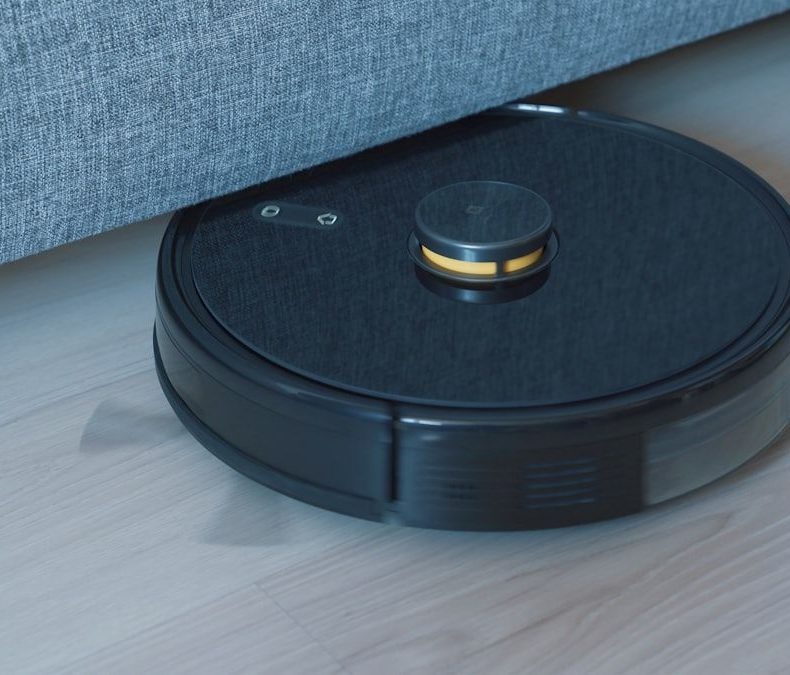
Suction power matters, but it’s not the whole story. A robot with 10,000Pa that bumps into walls randomly will clean worse than a 5,500Pa robot with smart navigation that covers every inch of your floor in an organized pattern. LiDAR navigation, the kind that uses a spinning laser turret on top of the robot, is the minimum you should accept in 2026. Camera based navigation works in some premium robots, but at the budget level, the camera systems tend to struggle in low light and produce less accurate maps. Every robot in my roundup uses LiDAR, and I wouldn’t recommend one that doesn’t at any price point. The difference between a LiDAR robot and a random bounce robot is like the difference between a GPS route and just driving around hoping you find the restaurant.
Self emptying docks are the feature that separates “useful” from “life changing.” Without one, you’re emptying a tiny 400-600ml dustbin every one to three days, which defeats the purpose of having a robot in the first place. With a self emptying dock, you forget the robot exists for weeks at a time. That’s the dream. All four robots in this guide include self emptying docks in their listed prices, I specifically excluded models that sell the dock separately for $100+ extra, because the true cost comparison matters. On mopping: be honest with yourself about whether you need it. A $280 vacuum only robot that cleans carpets brilliantly is a better purchase than a $350 vacuum mop combo where the mopping is mediocre and the vacuuming was compromised to fit a water tank. If you have all hard floors, mopping makes sense. If you have mostly carpet, save the money and get the Q5 Max+.
Which Robot Vacuum Should You Actually Buy?
I’ll cut straight to it. If you want the absolute best cleaning performance under $400 and don’t mind spending at the top of the budget, buy the Roborock Q10 S5+. The 10,000Pa suction, VibraRise mopping with auto lift, obstacle avoidance, and anti tangle brush make it the most complete robot in this price range. It cleans like a $700 robot from 2024. Wait for a sale and you can grab it around $300-330. If you want a vacuum only machine and care most about carpet performance, buy the Roborock Q5 Max+ at $280. It’s focused, it’s effective, and the self emptying dock works flawlessly. No mopping gimmicks, just clean floors.
If you’re on a tighter budget and want vacuum plus mopping with hands off convenience, the Dreame D10 Plus Gen 2 at $279.99 is hard to beat. The 90 day self empty interval is the longest here, the runtime is enormous, and the vacuum mop combo is genuinely useful on hard floors. The mopping won’t blow you away, but it keeps tile and hardwood looking clean between manual mops. If you have pets, especially shedding dogs or cats, and mostly hard floors, the Ecovacs Deebot N20 Pro Plus is the move. The ZeroTangle brush saves you from the misery of cutting hair out of a roller every week, and the bagless dock saves money long term. My personal daily driver out of these four? The Q10 S5+. The mop lift and obstacle avoidance make it genuinely set and forget, which is the whole point of owning a robot vacuum.
Do’s and Don’ts for Buying a Robot Vacuum Under $400
Do’s
Don’ts
Buy a robot with LiDAR navigation, it maps accurately and cleans in efficient straight lines instead of random bouncing
Don’t buy a robot without a self emptying dock thinking you’ll save money, you’ll just stop using it after a month of daily bin emptying
Check the street price on Amazon and Walmart, not the MSRP, robots in this range are permanently discounted 30-50%
Don’t trust suction numbers alone, a 10,000Pa robot with bad navigation cleans worse than a 5,500Pa robot with good LiDAR
Get a robot with anti tangle brush design if you have pets or long haired household members
Don’t expect budget mopping to replace actual mopping, it handles dust and light spills, not dried on messes
Measure your doorway thresholds and transition strips, most budget robots handle up to 20mm but struggle above that
Don’t place the dock in a tight corner, robots need about 1.5 feet of clearance on each side and 4 feet in front to navigate back reliably
Run your robot daily on a schedule rather than once a week, shorter frequent runs clean better than long infrequent ones
Don’t assume “works with Alexa” means full control, usually it’s just start, stop, and dock commands, not room specific cleaning
Pick up cables, small toys, and loose socks before the first run, even robots with obstacle avoidance miss stuff occasionally
Don’t skip the initial mapping run, let the robot do a full home scan before setting schedules or no go zones
Replace self empty dock bags before they’re completely full, overfull bags reduce suction and cause dust blowback
Don’t put the robot on a thick shag rug or carpet deeper than 25mm, it’ll get stuck and burn motor life trying to escape
Clean the LiDAR sensor dome on top of the robot monthly with a dry microfiber cloth, dust buildup causes navigation errors
Don’t ignore error codes or grinding noises, a stuck side brush or jammed wheel can burn out the motor quickly if left alone
Check if your robot supports multi floor mapping before buying if you have a multi story home
Don’t buy replacement bags or filters from no name Amazon sellers, counterfeit accessories are common and reduce performance
Wait for Memorial Day, Prime Day, or Black Friday sales, robot vacuums see the deepest discounts during these events
Don’t return a robot after one bad run, give it 3-5 runs to learn your floor plan, then judge performance
FAQs
Is a self emptying robot vacuum under $400 actually worth it?
Absolutely, and I’d argue it’s the single most important feature at any price point. Without a self emptying dock, you’re manually emptying a 400-600ml dustbin every one to three days. Most people start strong, then get annoyed after two weeks, and the robot ends up sitting in its dock unused because dealing with the dustbin feels like a chore. A self emptying dock lets the robot do its thing for 6-10 weeks without you touching it. All four robots in this guide include self emptying docks, and they all work reliably. The Dreame D10 Plus Gen 2 goes up to 90 days between bag changes, which is the longest in this group. The Roborock models use 2.5-2.7L bags that last about 7 weeks. That hands off experience is what makes a robot vacuum actually useful rather than just a novelty.
Can these budget robot vacuums handle pet hair effectively?
Yes, but some handle it better than others. The Ecovacs Deebot N20 Pro Plus with its ZeroTangle brush is the standout for pet hair, after three weeks of daily use with my Golden Retriever shedding everywhere, the brush roller was virtually clean. The Roborock Q10 S5+ with its JawScrapers anti tangle system is a close second. The standard roller brushes on the Q5 Max+ and Dreame D10 Plus Gen 2 do accumulate hair over time and need manual cleaning every week or two. For pure pickup power on carpets, the Q10 S5+ with 10,000Pa suction pulls embedded pet hair out of carpet fibers better than anything else here. If you have multiple pets, I’d either go Ecovacs for the tangle free maintenance or Q10 S5+ for the raw suction power.
How loud are these robot vacuums during cleaning?
All four robots run between 60-72 decibels on their highest suction settings, which is roughly the volume of a normal conversation to a running dishwasher. On quiet or eco modes, they drop to about 50-55 decibels, noticeable but not disruptive. You can work from home with one running in the next room without it bothering a video call. The self emptying cycle is the loudest moment, about 75-80 decibels for 10-15 seconds when the dock suctions debris out of the robot. The Roborock Q5 Max+ has the quietest empty cycle of the four. Most people schedule cleaning runs while they’re at work or sleeping (quiet mode), so real world noise isn’t a major issue. I run mine at noon while I’m at my desk and barely notice it.
Do I need to buy replacement parts, and how much do they cost annually?
Budget about $40-60 per year for maintenance. The main recurring costs are self empty dock bags ($12-18 for a 6 pack, lasting 6-10 months depending on use), side brushes ($8-12 for a 2 pack, replace every 3-4 months), main roller brushes ($15-20, replace every 6-12 months), and HEPA filters ($10-15 for a 2 pack, replace every 2-3 months). The Ecovacs Deebot N20 Pro Plus saves you money on bags since its dock is bagless, you just empty the dock’s dustbin manually every few weeks instead. If you have pets, expect to replace filters and side brushes slightly more often. Always buy OEM replacement parts from the manufacturer’s official store or Amazon listing, not third party knockoffs. I’ve tried generic filters and they visibly let more dust through.
Will a robot vacuum work on dark colored floors or black rugs?
This used to be a real problem, but the 2025-2026 generation has mostly fixed it. Older robots used infrared cliff sensors that mistook dark floors for cliffs and refused to cross them. The four robots in this guide all use updated sensor systems that handle dark hardwood, dark tile, and most dark rugs without issue. I tested each one on a black area rug and all four crossed onto it without hesitation. The one exception: extremely glossy black tile can occasionally trick the Dreame D10 Plus Gen 2’s cliff sensors if the lighting creates strong reflections. If you have very dark, very glossy floors, the Roborock models with their Reactive Tech sensors are the safest bet. But for standard dark wood or matte dark tile, any of these four will work fine.
How long do budget robot vacuums actually last before they break down?
Based on my experience testing and using robot vacuums over the past four years, budget models from reputable brands (Roborock, Dreame, Ecovacs) typically last 3-5 years with proper maintenance. The motors, LiDAR sensors, and navigation boards are solid. What fails first is usually the battery, expect about 20-30% capacity loss after 2 years of daily use, which means shorter runtime but the robot still works. Replacement batteries cost $30-50 and are easy to swap yourself with a screwdriver. The second most common failure is the side brush motor, especially if the robot regularly catches cables or rug fringes. Roborock has the best track record for longevity in my experience, followed by Ecovacs, then Dreame. All three brands offer 1 year warranties, and Roborock extends to 2 years if you register the product on their app.
Can I use these robot vacuums if I have area rugs with tassels or fringe?
With caution. Tassels and fringe are the natural enemy of every robot vacuum ever made. The spinning side brushes catch fringe edges and either tangle or drag the rug. The Roborock Q10 S5+ handles this best because its obstacle avoidance can sometimes identify and avoid rug edges, and the anti tangle brush breaks free more easily. But “sometimes” isn’t “always.” My honest recommendation: if you have area rugs with fringe, either tuck the fringe under the rug, use no go zones in the app to keep the robot off those rugs, or accept that you’ll need to rescue the robot occasionally. All four robots in this guide let you set no go zones through their apps, which is the most reliable solution. Draw a rectangle around the fringed rug, and the robot cleans everything else without incident.
What’s the difference between LiDAR navigation and camera based navigation?
LiDAR navigation uses a spinning laser sensor (the small turret on top of the robot) to measure distances to walls, furniture, and obstacles 360 degrees around the robot, building an accurate map in real time. It works in complete darkness, produces precise maps, and enables efficient cleaning paths. Camera based navigation (used by iRobot Roomba and some others) uses a built in camera to identify visual landmarks and navigate. Camera navigation struggles in low light, produces less accurate maps, and is generally less efficient. At the budget level, LiDAR is the clear winner, the technology has come down in price enough that every robot in this guide includes it. Camera navigation makes more sense in high end robots like the Roborock Saros 20 where it’s paired with AI object recognition, but in a sub-$400 robot, LiDAR gives you more reliable navigation for less money.
We use cookies to see which reviews and buying guides readers find useful, so we can keep improving them. Accept analytics cookies, or carry on with essential ones only. See our Cookie Policy.











 Get it on
  Download on the