






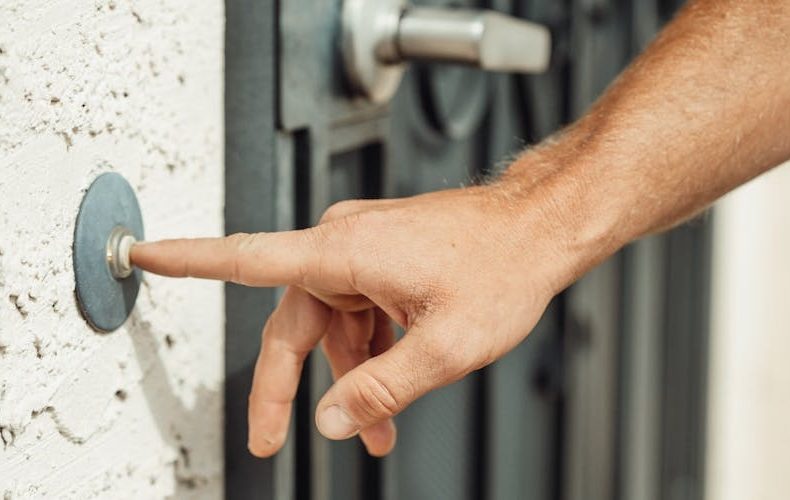
Picking the best smart doorbells in 2026 shouldn't require a spreadsheet and three hours of YouTube reviews. But here we are, Ring just dropped a 4K battery model at $249.99, Google slapped Gemini AI into the Nest Doorbell 3rd gen, and Arlo quietly doubled the battery life on its 2K (2nd Gen) while keeping the price at $129.99. Three very different approaches to the same problem: showing you who's at your door without you having to get off the couch. I've had all three mounted on test doors for the past two months, swapping between ecosystems, comparing night footage frame by frame, and honestly getting a little too invested in watching my mail carrier's daily routine in 2K HDR. The differences between these three are real, and they matter more than most review sites let on.
Here's the thing, the doorbell itself is only half the story. Subscription costs over three years range from $180 with Ring Protect Basic to $288 with Arlo Secure or Nest Aware. That's not pocket change, and it changes which doorbell is actually the "best value" depending on how many cameras you're running. I've dug into the specs, the monthly fees, the AI detection accuracy, and the stuff that actually matters when your package gets swiped at 2 PM on a Tuesday. This comparison covers video resolution, field of view, night vision, smart home integration, installation quirks, and the subscription math that most buyers skip until it's too late. No sponsored takes. Just what I'd actually tell a friend who texted me asking which one to buy.
Ring Battery Doorbell Pro 2nd Gen: 4K on a Battery, Finally
Ring took its time getting here, but the Battery Doorbell Pro 2nd Gen is the first battery-powered doorbell that shoots genuine 4K video. Not upscaled. Not "enhanced." Actual Retinal 4K with 10x digital zoom that produces usable crops.
Ring took its time getting here, but the Battery Doorbell Pro 2nd Gen is the first battery powered doorbell that shoots genuine 4K video. Not upscaled. Not "enhanced." Actual Retinal 4K with 10x digital zoom that produces usable crops, I could read the logo on a delivery driver's hat from 15 feet away. True color night vision handles porch lighting well, switching to crisp black and white only in near total darkness. The 155 degree horizontal and 90 degree vertical field of view isn't the widest here, but it frames a standard front porch without the fisheye distortion you get with wider lenses. Installation is dead simple, no wiring, just screw it to the wall and connect via the Ring app. The redesigned internal architecture keeps the battery lasting roughly two months with moderate traffic, though heavy motion zones will drain it faster. At $249.99, it's the priciest option in this lineup. Worth it if you're already in the Alexa ecosystem and want the sharpest footage available on battery power. Overpriced if you don't care about 4K and just want reliable alerts.
A few practical notes will help you get the most out of this doorbell. Battery life is the variable that surprises new owners: the roughly two month estimate assumes moderate traffic, so if your porch faces a busy sidewalk, tighten the motion zones on day one or you will be recharging every few weeks and wading through dozens of alerts a day. Zone adjustment in the Ring app is the single highest impact setting on the device, and it takes five minutes. If your doorway gets several hours of direct sun, the optional solar panel accessory can keep the charge topped up indefinitely, which turns a maintenance chore into a non-issue. Budget for Ring Protect Basic at $4.99 a month as part of the purchase decision, because without it the doorbell stores no video at all; with it, clips are kept for up to 180 days, the longest window of any brand in this comparison. Owners with Echo Show displays get the most from the hardware, since live footage streams to them the moment someone presses the button. And try to keep the battery above 20%, letting it die completely means sitting through an annoying reconnection process before you are back online.


Nest Doorbell 3rd Gen: Gemini AI Makes It Scary Smart
Google's Nest Doorbell (wired, 3rd gen) shoots 2K HDR at 2048 x 2048 resolution and 30 fps, not as sharp as Ring's 4K, but the square aspect ratio means you get a genuinely useful head to toe view without cropping. The 166 degree field of view sits between Ring and Arlo. What separates the Nest is Gemini. That's not marketing fluff, you can actually search your video history with natural language queries like "Did anyone come to the door after 3 PM?" and get timestamped results. Person, package, animal, and vehicle detection all work without a subscription, using the free tier's six hour event history stored as 10 second clips. Upgrading to Google Home Premium ($8/month) gets you 60 days of event history and 10 days of continuous recording. Night vision uses six 850nm infrared LEDs effective up to 10 feet. The catch? It's wired only. You need existing doorbell wiring, which rules out renters and anyone who doesn't want to touch electrical work. Priced at $180 (currently on sale around $140), it's the sweet spot for Google Home households who already have Nest cameras.


Arlo Video Doorbell 2K 2nd Gen: The Budget King With Tricks
Arlo's 2nd Gen doorbell hits a price point that's hard to argue with, $129.99 for a 2K doorbell with a 180 degree field of view. That's the widest viewing angle in this comparison by a comfortable margin, and the 1944 x 1944 resolution represents a 60% pixel increase over the first gen. HDR handles harsh outdoor lighting better than Ring's standard mode, balancing bright skies against shaded porches without blowing out highlights. The removable battery pack charges via USB C and lasts roughly twice as long as the original Arlo doorbell. You can also hardwire it if you have existing wiring, true flexibility. Two way audio is clear enough for basic conversations, though there's a slight delay compared to Ring's more responsive connection. Arlo works with Alexa natively, but Google Home and Apple HomeKit support remains spotty. That's a real limitation if you're not in the Amazon camp. At this price, though, the video quality punches well above its weight. Hard to beat for someone who just wants great footage without spending $250.


Best Smart Doorbells 2026: The Subscription Math Nobody Talks About
The sticker price is a lie. Not really, but it's incomplete. Over three years, Ring Protect Basic runs $180 total ($4.99/month for one camera). Arlo Secure hits $288 ($7.99/month per camera). Nest Aware lands at the same $288 ($8/month). That changes the total cost of ownership dramatically, a $129.99 Arlo with three years of Arlo Secure costs $417.99, while a $249.99 Ring with Ring Protect Basic totals $429.99. Almost identical. Nest's $180 doorbell plus Nest Aware totals $468. If you're running multiple cameras, Ring's $10/month unlimited plan destroys the competition, Arlo charges $12.99/month for unlimited, and Nest Aware Plus runs $15/month for 60 day storage. Ring stores video for up to 180 days in HD, which is six times longer than Arlo's 30 day window. For single camera setups, Arlo wins on hardware cost. For multi camera homes, Ring's subscription pricing is unbeatable.

Night Vision and Low Light Performance Compared
This is where the three doorbells diverge sharply. Ring's true color night vision is the standout, under a basic porch light, footage looks almost like daytime. Colors stay accurate, faces are identifiable, and the 4K resolution means you can zoom into details that 2K cameras turn into mush. Nest's six infrared LEDs produce solid black and white footage up to 10 feet, but beyond that range, details drop off fast. The 2K resolution helps, but IR illumination is the bottleneck. Arlo's HDR mode handles the dusk to dark transition better than either competitor, those tricky 7 PM shots where the sky is still bright but your porch is shadowed come out balanced and usable. In full darkness, though, Arlo's IR performance is middle of the road. My honest take: if night security is your primary concern, Ring wins. If you mostly care about package deliveries during twilight hours, Arlo's HDR is surprisingly good for the price.
Whichever model you choose, a little setup work at night pays off more than any spec sheet comparison. Walk your delivery path after dark and watch the live view: the difference between usable and useless footage often comes down to a single porch light, and even Ring's color night vision does its best work with some ambient lighting to draw on. If you rely on infrared alone, remember that Nest's LEDs are effective to about 10 feet, so a long walkway will fade into gray mush beyond the first few steps. Check what your camera actually sees at 7 PM as well as at midnight, because dusk is where HDR earns its keep and where lesser cameras blow out the sky while burying your visitor in shadow. Mounting height matters at night too: the common 48 inch guideline exists because a camera angled down from above head height loses faces to hat brims and porch shadows. Finally, expect motion alerts to behave differently after dark. Headlights sweeping across the frame and insects drawn to the infrared glow are the two most common causes of 2 AM false alarms, and tightening motion zones and sensitivity fixes most of them.

Smart Home Integration: Pick Your Ecosystem
This one's simple. Ring is Alexa's best friend. Nest lives in Google Home. Arlo plays nicest with Alexa but has limited Google support and inconsistent Apple HomeKit compatibility. If you've got Echo Shows throughout your house, Ring streams live doorbell footage to them instantly, tap the screen, see your porch. Nest does the same with Google Nest Hub displays, and the Gemini powered search features only work within the Google Home app. Arlo can push notifications and stream to Alexa devices, but the experience feels bolted on rather than native. No Gemini. No deep ecosystem hooks. None of these three play well outside their primary ecosystem, so don't buy a Ring if your house runs on Google, and don't grab a Nest if you're all in on Alexa. Sounds obvious, but I see people make this mistake constantly.

Installation and Build Quality: Real World Notes
Ring's battery install takes about 10 minutes. Unbox, charge, mount with two screws, connect to Wi Fi. Done. The build feels solid but plasticky, fine for covered porches, though I'd want the wedge kit for angled mounting. Nest requires existing doorbell wiring, which means 20-30 minutes if your current doorbell is in good shape, or a potential electrician visit if it's not. The build quality is noticeably premium, metal accents, tight seams, a compact footprint that doesn't scream "security camera." Arlo splits the difference with a battery that pops out for charging (no removing the whole unit) and optional wired installation. The form factor is the tallest of the three, which some people find ugly. Personally, I think it looks fine. All three are weather resistant, but none are rated for extreme cold below -4°F, something to consider if you're in Minnesota or the Dakotas.
Before you mount anything, stand at your front door with your phone and check the Wi-Fi signal, because a doorbell that cannot hold a connection is just an expensive button. Exterior walls and metal doors soak up more signal than people expect, and an indoor router that seems fine from the hallway may barely reach the porch. If the signal is weak, moving the router or adding an extender before installation day saves a frustrating troubleshooting session afterward. Buyers going the wired route should confirm their existing transformer delivers the 16-24V AC the Nest requires; older homes often run lower voltage, and discovering that with the doorbell already on the wall is the expensive version of the lesson. Battery models are more forgiving, but charge them fully before mounting so your first battery cycle gives a realistic baseline. Think about angle as much as height, since a wedge or corner kit is a cheap fix when your door sits perpendicular to the street. And if you live somewhere winters drop below -4°F, remember that none of these three are rated for that kind of cold, so a sheltered mounting spot under a covered porch is doing real protective work.

Best Smart Doorbells 2026: The Verdict
Picking the best smart doorbells in 2026 comes down to three questions. Do you want the sharpest video possible? Ring Battery Doorbell Pro 2nd Gen at $249.99. Do you want the smartest AI features and you have doorbell wiring? Nest Doorbell 3rd Gen at $180. Do you want the best value with the widest view? Arlo Video Doorbell 2K at $129.99. There's no wrong answer, just wrong fits. A Nest in an Alexa house is a bad buy, and a Ring without a subscription is leaving half its features on the table. Match the doorbell to your ecosystem, budget for the subscription, and you'll be happy with any of these three.

Do’s and Don’ts
Two months of testing these three doorbells taught me that most problems come from setup choices, not hardware. The table below collects the habits that kept every unit running smoothly, along with the mistakes I watched people make over and over. Run through it before you buy and again after you install.
| Do’s | Don’ts |
|---|---|
| Factor in 3-year subscription costs before choosing a doorbell | Don't compare sticker prices alone. total cost of ownership matters more |
| Pick the doorbell that matches your existing smart home ecosystem | Don't buy a Ring if your house runs entirely on Google Home |
| Test your Wi-Fi signal strength at your front door before installing | Don't assume your indoor router reaches your porch. many don't |
| Use the free tiers first to see if you actually need paid storage | Don't auto-subscribe to premium plans on day one |
| Enable motion zones to reduce false alerts from street traffic | Don't leave default motion sensitivity on. you'll get 50 alerts a day |
| Check your existing doorbell wiring voltage before buying Nest (16-24V AC required) | Don't buy the wired Nest without confirming compatible wiring |
| Mount at 48 inches from the ground for optimal head-to-toe framing | Don't mount too high. above 5 feet cuts off package and pet detection |
| Keep battery doorbells charged above 20% to maintain full functionality | Don't let Ring or Arlo batteries die completely. reconnection is annoying |
| Enable two-factor authentication on your doorbell app immediately | Don't skip 2FA. doorbell cameras are common targets for account hijacking |
| Download important clips locally before they expire from cloud storage | Don't rely solely on cloud storage. clips expire after 30-180 days depending on plan |
| Consider a solar charging panel for battery models if your porch gets direct sun | Don't assume battery life estimates apply to high-traffic doorways |
A few of these rows are worth underlining. The subscription math changes the ranking of these three doorbells more than any hardware spec, so run the three year total for your camera count before you fall in love with a sticker price. Wi-Fi strength at the door is the most common install-day surprise, and it is fixable in advance for the cost of an extender. Motion zones deserve ten minutes of setup the day you mount the doorbell, because default sensitivity turns a busy street into a notification firehose. And the security basics are not optional: two-factor authentication and locally downloaded copies of important clips cost nothing and cover the two most common ways owners get burned, hijacked accounts and expired cloud footage. Get those habits right and any of these three doorbells will serve you well; skip them and even the 4K Ring will disappoint.

FAQs
These are the questions that come up most often about Ring, Nest and Arlo doorbells. The short answers below come straight from my testing notes.
What is the best smart doorbell to buy in 2026?
It depends entirely on your ecosystem and budget. The Arlo Video Doorbell 2K (2nd Gen) offers the best raw value at $129.99 with 180 degree field of view and solid 2K video. The Google Nest Doorbell 3rd gen is the smartest option with Gemini AI search and free basic event detection without a subscription. The Ring Battery Doorbell Pro 2nd Gen delivers the sharpest 4K video on battery power at $249.99. For most people on a budget, Arlo wins. For Google Home users who want AI features, Nest is the pick. For Alexa households wanting the absolute best footage, Ring justifies its premium.
Do smart doorbells require a monthly subscription?
Technically, no, all three work without subscriptions for live viewing and basic alerts. But the experience without a subscription is limited. Ring offers no video storage whatsoever without Ring Protect ($4.99/month). Nest gives you six hours of free event history as 10 second clips, which is genuinely useful. Arlo provides basic alerts without Arlo Secure but no cloud video storage. If you want to review footage after the fact, say, to check when a package was delivered or identify someone, you'll need a subscription. Nest offers the most useful free tier by a significant margin.
Can I install a smart doorbell without existing wiring?
Yes, but your options narrow. The Ring Battery Doorbell Pro 2nd Gen and Arlo Video Doorbell 2K (2nd Gen) both run on rechargeable batteries and mount with basic screws, no wiring needed. The Google Nest Doorbell 3rd gen (wired) requires 16-24V AC doorbell wiring, which rules it out for renters or homes without existing doorbells. Google does sell a battery powered Nest Doorbell, but it's the older generation with lower specs. If you're renting or don't want to touch electrical work, Ring or Arlo are your only real choices in this comparison.
How long do smart doorbell batteries last?
Ring's Battery Doorbell Pro 2nd Gen lasts roughly six to eight weeks on a full charge with moderate traffic, around 10-15 motion events per day. High traffic areas or aggressive motion zone settings can cut that to four weeks. Arlo's 2nd Gen doubled the battery life from the original, averaging two to three months depending on usage and temperature. Cold weather reduces battery life significantly for both, expect 30-40% less in winter below freezing. Both brands offer solar panel accessories ($49-$60) that can maintain charge indefinitely if your mounting location gets four or more hours of direct sunlight.
Is Ring or Nest better for package detection?
Nest has the edge here. Google's AI powered package detection identifies boxes, envelopes, and parcels on your porch and sends specific "package detected" notifications, this works on the free tier without Nest Aware. Ring offers package detection too, but it requires a Ring Protect subscription and isn't as granular in its identification. Arlo Secure subscribers also get package detection with intelligent alerts. In my testing, Nest correctly identified packages about 90% of the time, Ring caught about 85%, and Arlo sat around 80%. The differences are marginal, but Nest doing it for free is a genuine advantage.
Which smart doorbell has the best video quality?
The Ring Battery Doorbell Pro 2nd Gen wins outright with true 4K resolution and 10x Enhanced Zoom, no other battery powered doorbell matches it. The Arlo Video Doorbell 2K shoots at 1944 x 1944 pixels with HDR, which handles outdoor lighting contrasts better than Ring's standard dynamic range. The Nest Doorbell 3rd gen records at 2048 x 2048 in HDR at 30 fps, producing clean footage with excellent color accuracy. In pure pixel count, Ring dominates. In real world usability, particularly in mixed lighting conditions, the 2K HDR footage from Arlo and Nest often looks more natural and balanced than Ring's sharper but sometimes overexposed 4K clips.
Are smart doorbells safe from hackers?
All three brands use AES 128 bit or 256 bit encryption for video transmission and storage, and all support two factor authentication. Ring had well publicized security issues in 2019-2020 but has since added end to end encryption as an opt in feature and mandatory 2FA. Nest benefits from Google's infrastructure and automatic security updates. Arlo uses TLS encryption and stores footage on AWS servers. The biggest vulnerability isn't the doorbell itself, it's weak passwords and skipped 2FA. Enable two factor authentication, use a unique strong password, and keep firmware updated. Do that, and all three are reasonably secure for consumer devices.
Can I use a smart doorbell with multiple smart home platforms?
In theory, yes, but the experience degrades fast outside the primary ecosystem. Ring works flawlessly with Alexa and adequately with Google Home, but Apple HomeKit support is nonexistent. Nest integrates deeply with Google Home and has basic Alexa compatibility for streaming and announcements. Arlo works best with Alexa, has limited Google Home features, and offers inconsistent HomeKit support. Matter compatibility is slowly rolling out across all three brands, but as of early 2026, none offer full cross platform parity through Matter. Pick the doorbell that matches your primary ecosystem and treat any cross platform features as a bonus, not a guarantee.
Related Posts:




Twenty years from now you will be more disappointed by the things that you didn’t do than by the ones you did do. Sail away from the safe harbor.
 Get it on
  Download on the