You don't need to drop $2,000 to make your home smart. That's the lie that kept me from starting for years, I assumed every light switch needed a $60 replacement, every camera required a monthly subscription, and the whole thing would turn into a tangled mess of incompatible apps. Turns out, I was wrong. Dead wrong. The smart home market in 2026 has shifted dramatically toward affordability, and the Matter protocol has basically killed the old "will this work with my stuff?" anxiety. I built out my entire two bedroom apartment, lights, thermostat, security camera, voice control, smart plugs, for under $300. Not $300 per room. Total.
This guide walks you through a complete smart home setup on a budget 2026 style, from picking your first voice assistant to automating your morning coffee. I've tested dozens of budget devices over the past year, returned the ones that were garbage, and kept the ones that genuinely made daily life easier. No sponsored picks here. No "premium tier" upsells disguised as recommendations. Just a straightforward, room by room plan with exact prices and model numbers so you can replicate what actually works without blowing your rent money on a smart toothbrush holder nobody asked for.
Pick Your Ecosystem First (It Matters Less Than You Think)
Before you buy a single bulb, decide on your voice platform. Amazon Alexa, Google Home, or Apple HomeKit, that's your big three. Here's the honest truth though: thanks to Matter 1.4, it barely matters anymore. Over 800 million Matter compatible devices are expected to be in use by the end of 2026, and nearly every budget device now speaks this universal language. You can mix an IKEA bulb with an Amazon Echo and a Google thermostat, and they'll all play nice. That said, your voice assistant still shapes the experience. If you're deep in the Apple ecosystem with an iPhone and MacBook, grab the HomePod Mini for $99. Android users or Prime members? The Echo Dot 5th Gen at $50 is the move. Heavy Google services user? Nest Mini at $49. Don't overthink this, just match it to the phone in your pocket and move on.
The $150 Starter Kit That Actually Works
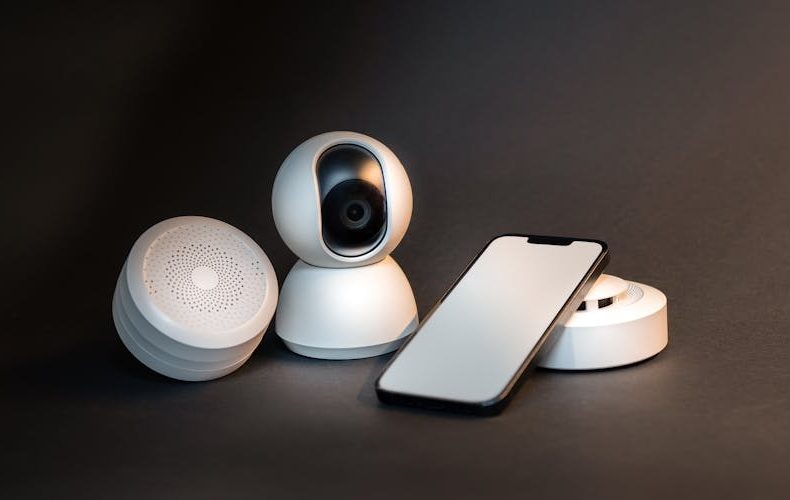
Here's your minimum viable smart home. An Echo Dot 5th Gen ($50) as your hub and voice controller. Four IKEA TRÅDFRI smart bulbs ($8 each, so $32 total), these are Matter certified through the DIRIGERA hub, but they also work standalone with Alexa. Two TP Link Kasa smart plugs ($13 each, $26 total) for your coffee maker and a lamp. One Wyze Cam v4 ($36) for basic indoor security. Grand total: $144. That's it. That's a functioning smart home setup on a budget 2026 for less than a pair of mid range running shoes. The IKEA bulbs are honestly the best kept secret in smart lighting, $8 for a Matter certified bulb is absurd value. They're not RGB color changing, but warm white with adjustable brightness covers 90% of what most people actually need.
Smart Lighting: Biggest Impact, Lowest Cost
Lighting gives you the most dramatic "my home is smart now" feeling for the least money. Period. Beyond the IKEA TRÅDFRI bulbs I already mentioned, the Philips Wiz line deserves attention, their A19 Wi Fi bulbs run about $10-12 each and connect directly to your Wi Fi without any hub. No bridge, no gateway, no extra hardware. I replaced five bulbs in my living room and hallway for under $55, and now I've got sunset routines, movie mode dimming, and wake up schedules that gradually brighten at 6:45 AM. One trick that saves money: don't replace every bulb. Put smart plugs on lamps you rarely adjust and save the smart bulbs for rooms where dimming and scheduling actually matter. Your bathroom doesn't need a $12 smart bulb. It needs a light switch you flip on and off. Be strategic.
Budget Smart Thermostat: Save Money While Spending Money
A smart thermostat pays for itself. That's not marketing, it's math. The Amazon Smart Thermostat at $79 is the one I'd grab without hesitation for a budget build. Made by Honeywell, deep Alexa integration, and it learns your schedule within a week. TechRadar gave it 4 out of 5 stars, and Wirecutter called it the best budget option. Could you spend $249 on an Ecobee Premium or the Nest Learning Thermostat? Sure. Will you get $170 more value? Honestly, no. The Amazon model handles scheduling, geofencing (it knows when you leave), and energy reporting. ENERGY STAR certified smart thermostats also qualify for utility rebates, anywhere from $25 to $150 depending on your provider. I got $75 back from my electric company, which brought my effective cost to $4. Four dollars for a smart thermostat. Check your utility's website before buying.
Security on a Shoestring: Cameras and Sensors Under $80
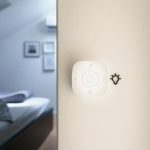
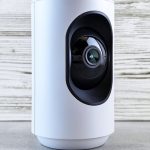
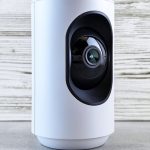
Home security sounds expensive until you look at Wyze. The Wyze Cam v4 shoots 2.5K video, works indoors and outdoors, has color night vision, and costs $36. Thirty six dollars. For comparison, a basic Ring Indoor Cam costs $60 and shoots at a lower resolution. Wyze Cam Plus subscription runs $2.99/month for AI person detection and cloud clips, but here's the real budget hack, pop in a microSD card and you get continuous local recording with zero monthly fees. No subscription required for basic motion alerts either. If you want a door/window sensor, the IKEA PARASOLL costs $10 and integrates through Matter. A friend of mine set up two Wyze cameras and three PARASOLL sensors for his studio apartment. Total spend: $102. He gets phone alerts when someone opens his front door and can check the camera feed from work. That's real security, not a $40/month ADT contract.
Smart Plugs: The Most Underrated Budget Upgrade
Smart plugs don't get the attention they deserve. A $13 TP Link Kasa plug turns any "dumb" appliance into a smart one. Coffee maker brews at 6:30 AM before your alarm goes off. Space heater shuts down automatically at midnight so you don't waste electricity. Box fan turns on when your thermostat hits 78°F. Christmas lights follow a sunset schedule year after year. The Meross Matter Smart Plug Mini runs about $20 each (or $40 for a two pack) and they're fully Matter certified, so they work across every ecosystem. I've got six smart plugs throughout my apartment and they probably save me more daily frustration than any other device category. The key is thinking about what you already own that would benefit from remote on/off and basic scheduling. You'd be surprised how many "smart" solutions are just a $13 plug away from existing.
Setting Up Automations That Don't Require a CS Degree
Here's where budget smart homes get genuinely impressive. Once your devices are connected, automations are free, you're just combining triggers and actions in your voice assistant's app. My five most used automations took about ten minutes to set up total. "Good morning" routine: lights brighten to 70% in the bedroom, coffee maker plug turns on, thermostat bumps to 72°F. "Leaving home" routine: all lights off, thermostat drops to 65°F, camera arms. "Movie time": living room dims to 15%, hallway lights off. "Bedtime": everything shuts down except the bedroom lamp at 10% brightness. "Too hot" trigger: when thermostat reads above 78°F, the smart plug on my box fan kicks on. None of this required a separate hub, any coding, or a $200 automation controller. The Alexa app handles it all. Google Home works the same way. Automations are the secret weapon of a smart home setup on a budget 2026, they cost literally nothing extra once you've bought the hardware.
If you are new to this, build your first automation around a moment you repeat every single day, then copy the pattern. Start the trigger simple, a time of day or leaving home, and add conditions later once the basics feel boring. Ten minutes of setup keeps paying you back every morning after.
Common Mistakes That Waste Money (I Made Most of Them)
Don't buy a separate smart home hub unless you specifically need Zigbee or Z Wave devices. Matter and Wi Fi handle everything for a budget setup. Don't replace light switches, smart bulbs are cheaper and don't require an electrician. Don't pay for camera subscriptions on day one. Use local microSD storage and see if you even need cloud features. Don't buy RGB color bulbs for every room. They cost 2-3x more than tunable white bulbs and you'll set them to warm white 95% of the time anyway. Don't ignore refurbished devices. Amazon Renewed sells Echo Dots for $30-35 regularly, and they carry the same warranty. And for the love of all things practical, don't buy a smart appliance when a $13 smart plug does the same job. A "smart" coffee maker costs $150. A regular coffee maker plus a Kasa plug costs $40. Same result.
Do’s and Don’ts
Every dollar in a budget build has a job, and most wasted money comes from a handful of predictable traps. The table below sums up what a year of testing cheap gear taught me. Check it before each purchase and your $300 will stretch a lot further.
Do’s
Don’ts
Start with a voice assistant as your central hub. Echo Dot 5th Gen ($50) is the best budget entry
Don't buy a separate smart home hub for a starter setup. Matter and Wi-Fi cover you
Buy IKEA TRÅDFRI bulbs at $8 each for Matter-certified budget lighting
Don't splurge on RGB bulbs for every room. tunable white is half the price and more practical
Check your utility company for smart thermostat rebates ($25-$150 back)
Don't skip the rebate check. you're leaving free money on the table
Use smart plugs ($13 each) to make existing appliances smart
Don't buy "smart" versions of appliances when a plug does the same job for $13
Use microSD cards with Wyze cameras for free local storage
Don't sign up for camera cloud subscriptions before trying local storage first
Set up automations (they're free) once your devices are connected
Don't buy a dedicated automation controller. your voice assistant app handles it
Buy Matter-certified devices so you can switch ecosystems later
Don't lock yourself into one brand's proprietary ecosystem
Check Amazon Renewed for refurbished Echo Dots at $30-35
Don't pay full price without checking for refurbished or open-box deals
Start with one room and expand gradually over a few months
Don't try to automate your entire house on day one. you'll overspend and get overwhelmed
Read return policies before buying. some smart devices are non-returnable
Don't assume every smart home device will work perfectly in your specific setup
Use the 2.4GHz Wi-Fi band for smart home devices. it has better range
Don't connect smart devices to your 5GHz band. range suffers through walls
A few of these rules earn their place more than others. The 2.4GHz Wi-Fi rule prevents the most maddening budget-build problem, devices that drop offline behind one wall, because cheap smart plugs and bulbs almost always ship with weaker radios than your phone. The rebate line is the fastest money you will ever make in this hobby, since a five minute search on your utility's website can hand back $25 to $150 on a thermostat you were buying anyway. And the one room at a time rule is really a budgeting device in disguise. Spreading purchases over a few months lets you learn which automations you actually use before you scale them, so the second room costs less than the first. None of it requires sacrifice, just sequencing. Cheap gear plus patient buying beats an expensive shopping spree every time.
FAQs
How much does a basic smart home setup on a budget 2026 actually cost?
A genuinely functional starter setup runs $140-$160 in 2026. That gets you a voice assistant hub like the Echo Dot 5th Gen ($50), four smart bulbs ($32), a couple of smart plugs ($26), and a security camera ($36). You can absolutely go cheaper if you skip the camera and grab a refurbished Echo Dot, some people start with just a speaker and two smart plugs for under $80. The key difference from a few years ago is that Matter compatibility means you're not paying a "brand tax" anymore. IKEA sells $8 smart bulbs that work as well as $25 Philips Hue bulbs for basic dimming and scheduling.
Do I need a smart home hub or can I skip it?
Skip it. Seriously. In 2026, most budget smart home devices connect directly over Wi Fi or through Matter via your existing voice assistant. The Echo Dot, Nest Mini, and HomePod Mini all function as controllers. The only reason to buy a dedicated hub like the Aqara M200 ($70) or IKEA DIRIGERA ($60) is if you specifically want Thread based devices or have more than 30 smart gadgets causing Wi Fi congestion. For a starter budget setup of 10-15 devices, your router and voice assistant handle everything.
What's Matter and why should I care about it for budget devices?
Matter is the universal smart home standard backed by Apple, Google, Amazon, and Samsung. It launched a few years back and by 2026, it's hit critical mass, Matter 1.4 supports lights, plugs, locks, sensors, thermostats, blinds, cameras, and robot vacuums. For budget buyers, Matter is huge because it means an $8 IKEA bulb works with Alexa, Google Home, and HomeKit simultaneously. No more "this only works with Alexa" limitations. It also means you can switch ecosystems later without replacing all your devices. Buy Matter certified and you're future proofed.
Is the Amazon Smart Thermostat ($79) worth it compared to Nest or Ecobee?
For budget builds, absolutely. The Amazon Smart Thermostat does 90% of what the $249 Nest Learning Thermostat does, scheduling, geofencing, energy reports, and voice control. You lose the learning algorithm sophistication and the premium build quality, but honestly, most people set their thermostat schedule once and leave it. The real kicker is utility rebates: many electric companies give $25-$150 back on ENERGY STAR smart thermostats, potentially dropping your out of pocket cost to almost nothing. The Ecobee Premium is a better thermostat, no question, but it's 3x the price and the savings difference is marginal.
Are Wyze cameras actually good or just cheap?
They're both. The Wyze Cam v4 shoots 2.5K video with color night vision for $36, that's half the price of a Ring Indoor Cam at lower resolution. After testing over a hundred security cameras, Tom's Guide and multiple review sites consistently rank Wyze as the best budget option. The optional Cam Plus subscription ($2.99/month) adds AI person detection, but you can use the camera with just a microSD card and get continuous local recording with zero fees. The build quality is obviously not Ring or Arlo premium tier, but for indoor use and basic outdoor monitoring, they're genuinely excellent for the price.
Can I build a smart home setup on a budget 2026 if I rent my apartment?
Yes, and renters actually have it easier than homeowners in some ways. Smart bulbs screw into existing sockets, swap them back when you leave. Smart plugs plug into standard outlets. Wyze cameras use adhesive mounts or magnetic bases, no drilling needed. The only tricky item is a smart thermostat, which requires basic wiring. Most landlords are fine with it since it improves the unit, but ask first. Smart locks are another gray area, some rentals allow them if you keep the original hardware. Everything else in a budget setup is completely portable and leaves zero marks on the walls.
How do I avoid subscription costs eating into my budget?
Pick devices with local storage or processing options. Wyze cameras work with microSD cards, no cloud subscription needed for recording. Smart bulbs, plugs, and thermostats have zero recurring costs. Voice assistants are free to use. The main subscription traps are cloud camera storage, premium voice features you'll never use, and "pro" tiers of device apps. Stick to the free tiers and local storage, and your ongoing cost after the initial hardware purchase should be exactly $0.
We use cookies to see which reviews and buying guides readers find useful, so we can keep improving them. Accept analytics cookies, or carry on with essential ones only. See our Cookie Policy.












 Get it on
  Download on the