






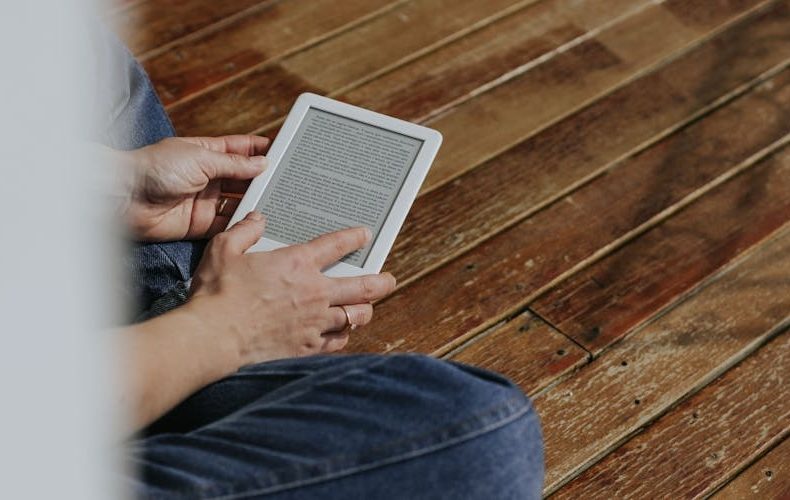
If you've spent any time on e reader forums lately, you've seen the same debate on repeat: Kindle or Kobo? Fair question. Both brands make genuinely good hardware in 2026. But the answer isn't as simple as picking whichever costs less. The real difference comes down to ecosystems, file format flexibility, and how you get your books. I've owned both, a Kindle Paperwhite 12th gen and a Kobo Libra Colour, and after months of switching, the "right" choice depends on habits most comparison articles never ask about. Your library card might matter more than display resolution.
This Kindle vs Kobo e reader comparison covers real pricing for every current model, display differences you'll notice in daily use, ecosystem lock in nobody warns about, and library borrowing where one brand dominates. No marketing fluff. Just honest trade offs so you can pick the right one and stop second guessing.
Kindle vs Kobo E Reader Comparison: Current Models and Pricing
Amazon's lineup hasn't shifted much since late 2024, the hardware was already strong. The base Kindle sits at $109 with a 6 inch 300 PPI display. Fine for casual readers, cramped after you've used anything bigger. The Kindle Paperwhite 12th gen is the sweet spot at $159: 7 inch glare free display, USB C, and a battery that genuinely lasts 10-12 weeks. The Signature Edition adds wireless charging and 32 GB for $199. Then there's the Kindle Colorsoft at $279, Amazon's first color E Ink device. Kobo's roster is leaner. The Clara BW starts at $139.99 (6 inch, black and white), the Clara Colour is $159.99, and the Libra Colour hits $229.99 with a 7 inch color display plus physical page turn buttons. Kobo bumped prices by $10 across the board in early 2025, and the Sage is discontinued.


Display Quality: Sharper Than You'd Expect on Both
Both brands run 300 PPI E Ink for black and white text. Side by side, you'd struggle to tell them apart. Crisp. Sharp. Easy on the eyes for hours. The differences emerge with color and lighting. The Kindle Colorsoft produces slightly more saturated colors and handles ghosting better, on my Kobo Libra Colour, I noticed faint afterimages scrolling through library covers. Both color displays drop to 150 PPI for color content, so don't expect tablet quality comic rendering on either. Kobo's warm light slider gives you more granular control over color temperature than Kindle's simpler white to amber toggle. Small thing. But at 11 PM with tired eyes, that granularity matters.


Ecosystem Lock In: The Part Nobody Discusses Enough
This is where the Kindle vs Kobo e reader comparison gets honest. Amazon's store is massive, millions of titles, daily deals, tight Audible integration. But your purchased books live in proprietary AZW/KFX format. Can't move them to a Kobo without stripping DRM, which Amazon forbids. You're renting a library Amazon controls. Kobo uses industry standard EPUB and natively reads files sideloaded from Humble Bundle, Project Gutenberg, or any DRM free store. Drag, drop, done. Kindle's sideloading goes through Send to Kindle, which converts files and sometimes mangles formatting. A friend lost every footnote link in a sideloaded academic PDF. Not ideal.


Library Borrowing: Kobo Wins Decisively
If you use your local library, and you should, free books are free books, Kobo is the obvious pick. OverDrive is baked into every Kobo device. Punch in your library card, browse on device, borrow, read. No phone needed. Takes 90 seconds. Kindle's process: open Libby on your phone, find the book, tap "Send to Kindle," log into Amazon, pick the device, wait. And Kindle library borrowing only works in the US. Kobo's OverDrive works globally. If you're in Canada, the UK, or Australia, this alone settles the debate.

Color E Readers: Colorsoft vs Libra Colour
Both use Kaleido 3 E Ink, both run 300 PPI grayscale and 150 PPI color, both are IPX8 waterproof. The Kindle Colorsoft ($279) includes wireless charging and auto brightness but no physical buttons. The Kobo Libra Colour ($229.99) skips wireless charging but adds page turn buttons and stylus support. That $50 gap matters. Kobo gives you more for less, including pen input the Colorsoft doesn't offer at all. But the Colorsoft handles color with less ghosting. For manga, lean Colorsoft. For annotating alongside reading, the Libra Colour wins. Either way, both color displays look washed out compared to even a budget tablet, so if you mostly read novels, save the money and go black and white.

Who Should Pick Which Brand
Kindle makes sense if you're deep in Amazon's ecosystem. Prime members get rotating free reads, Kindle Unlimited runs $11.99/month, and Whispersync bounces you between ebook and Audible audiobook mid chapter. Genuinely slick. Pick Kindle if you buy from one store, want audiobook sync, and rarely borrow from libraries. Kobo suits readers who value flexibility, native EPUB support, effortless library integration, deeper customization with 50+ fonts and pixel level margin control. Skip Kobo if you want the biggest bookstore or have years of Kindle purchases you can't walk away from.

Do’s and Don’ts
Whichever brand you land on, a few habits will make the difference between loving your e reader and returning it. The checklist below pulls together the format, library, and battery lessons from this comparison into quick rules. Skim both columns before you buy.
| Do’s | Don’ts |
|---|---|
| Check if your library supports OverDrive/Libby before choosing a brand | Don't assume Kindle supports library borrowing outside the US |
| Compare exact models at your budget, not just brand names | Don't buy the cheapest 6-inch model if you read over 30 minutes daily. the 7-inch screens are worth it |
| Test sideloading an EPUB and a PDF on whichever device you pick | Don't ignore file format lock-in. it matters more than screen size |
| Factor in case and accessory costs ($30-50 extra on either brand) | Don't buy the Colorsoft just for color if you only read novels |
| Enable airplane mode to stretch battery life past 10 weeks | Don't leave Wi-Fi on 24/7 and expect the advertised battery numbers |
| Use Kobo's built-in OverDrive if you borrow from the library weekly | Don't rely on Send-to-Kindle for complex PDFs. formatting often breaks |
| Consider the Libra Colour if you want stylus annotation under $250 | Don't spend $399 on a Kindle Scribe if you only need basic note-taking |
| Browse DRM-free stores like Smashwords and Humble Bundle on Kobo | Don't assume all ebooks work on all devices. Kindle can't read EPUB natively |
| Buy a waterproof model (IPX8) if you ever read near water | Don't pay for wireless charging unless you already own a Qi pad |
| Wait for Kobo's rumored 2026 refresh if you're not in a rush | Don't buy the Kobo Elipsa 2E unless you specifically need 10.3 inches for PDFs |

FAQs
Is the Kindle Paperwhite or Kobo Clara BW better for everyday reading?
Both deliver 300 PPI text with warm lighting and weeks of battery. The Paperwhite's 7 inch screen versus the Clara's 6 inch panel makes a real difference during long sessions. But the Clara BW costs $20 less at $139.99 and reads EPUBs natively. For single store readers, the Paperwhite's bigger screen wins. For multi source readers, the Clara's format flexibility tips the balance.
Can I borrow library books on both Kindle and Kobo?
Yes, but the experience differs wildly. Kobo has OverDrive built in, library card, browse, borrow, read. No phone needed. Kindle requires the Libby app on a phone, sending the book to your device, and waiting for sync. Kindle library borrowing is US only. Kobo works worldwide, making it the clear winner for international readers.
Does Kindle support EPUB files?
Not natively. Kindle uses AZW, KFX, and MOBI formats. You can use Send to Kindle to convert EPUBs, but the conversion sometimes breaks footnotes, charts, and complex layouts. Kobo reads EPUB natively, drag the file over USB and you're reading in seconds. This is one of Kobo's biggest practical advantages over Kindle.
Which brand has better battery life?
Kindle edges it. The Paperwhite advertises 12 weeks versus the Clara BW's 6-8 weeks. Real world numbers drop with Wi Fi on, expect 4-6 weeks with moderate daily reading. I've found the Paperwhite outlasts the Clara by about two weeks under similar conditions. But you're charging either device roughly once a month, so the gap barely registers in practice.
Is Kindle Unlimited worth it compared to free library books on Kobo?
KU costs $11.99/month, $143.88/year, for a catalog heavy on indie titles but thin on major publishers. Your library, free on Kobo via OverDrive, carries bestsellers and Big Five releases, though popular titles often have waitlists. Read 3+ indie books monthly? KU pays for itself. Prefer mainstream fiction and can wait two weeks? The library saves you $144 a year.
Can I switch from Kindle to Kobo without losing my books?
Purchased Kindle books stay locked in Amazon's DRM, they won't open on a Kobo. You can still access them via the Kindle phone app. DRM free books move freely. This is exactly why lock in matters: the more you buy from one ecosystem, the harder leaving becomes.
Related Posts:



Twenty years from now you will be more disappointed by the things that you didn’t do than by the ones you did do. Sail away from the safe harbor.
 Get it on
  Download on the